
· AI for homework
Using AI for Homework Safely: How to Check an AI Answer
13 min read
It's late, you're using the family phone, and a homework question still isn't making sense. You ask an AI chatbot, get a tidy explanation, and feel ready to copy it into your exercise book. Before you do, pause: can you check the answer, and did you share anything private while asking?
Many learners already use AI for homework. Checking its answers and protecting personal details are part of digital literacy, just like recognising a suspicious message. Using AI for homework safely means knowing how to check an AI answer, not just knowing how to get one.
Table of Contents
- Where AI Helps and Where It Goes Wrong
- Keep Personal Information Out of Every Prompt
- Three Checks Before You Trust an AI Answer
- Check an Answer on a Shared Phone with Little Data
- Use AI Honestly for Schoolwork
- Questions Parents Can Ask About AI Use
- Practise Checking AI Answers This Week
Where AI Helps and Where It Goes Wrong
Say a Form 2 learner asks a chatbot for help with a percentage question late in the evening. The response has a formula, neat working and a confident conclusion. It looks finished, but neat presentation doesn't prove that the calculation is correct.
AI can be useful for explaining a difficult idea, offering a different example or generating practice questions. A learner who hasn't understood a textbook explanation can ask for simpler wording, then return to the original material with a clearer starting point.
In a Kenya Education Network survey, about 65% of respondents were students already using free generative-AI tools; reported student uses included summarising readings at 55% and brainstorming research topics at 69.5%. These findings describe that survey's respondents, not every Kenyan secondary learner.
Common AI homework failures and how to catch them
| Failure | What it looks like | How to catch it |
|---|---|---|
| Fabricated references | A book, article or page reference that sounds real | Search for the title in your textbook or an official site; if it doesn't exist, treat the answer as unverified |
| Confident wrong arithmetic | Clean working with a wrong step or unit | Recalculate on paper; check units and the final value |
| Outdated information | Old exam formats, prices or dates presented as current | Compare with the current syllabus, school notes or an official source |
| Kenyan and foreign mix-up | Examples, names or systems from another country | Check the example against the Kenyan CBE strand and local context |
| Missed command verb | A description where the question asks you to evaluate, compare or justify | Reread the question and underline the verb before accepting the answer |
For reading tasks, PDFWix's PDF summarization tips for students offer additional guidance on working with summaries. Keep the original document available so you can check whether a summary has omitted a qualification or changed the meaning.
These habits belong within digital literacy in CBC: learners need to judge information, not merely receive it. A chatbot can help you begin, but its answer is a draft claim to check, not an authority.
Keep Personal Information Out of Every Prompt
Check privacy before accuracy. Never paste your full name, national ID number, phone number, school, home address, photographs or another person's details into a public AI chatbot. Health information, admission numbers and identifiable teacher feedback should stay out too.
A homework upload can reveal more than the question itself. A report card contains records about a learner; a screenshot may show a name or account notification; a photograph may include classmates in the background.
What to remove or replace before you ask
| Detail | Replace with | Leave out |
|---|---|---|
| Full name | A fictional name such as Student A | The real name in any part of the prompt |
| Admission or ID number | Remove entirely | Any number that identifies the learner |
| Phone number | Remove entirely | Parent or learner contact details |
| School name | A general phrase such as a secondary school in Kenya | The school's name, logo or address |
| Photos and screenshots | Retype the question as text | Faces, classmates and names visible in the screenshot |
| Marked script or report card | The question and a sample answer you wrote yourself | The whole marked script or teacher comments with names |
| Other learners' details | Remove | Anything that identifies another child |
Prepare the question before sending it
- Replace identity fields. Use Student A where a name is necessary for understanding the problem. Remove your home address and precise location rather than substituting another real address.
- Prefer typed text. Paraphrase the question without changing its meaning. If an image is necessary, remove faces, identifying details and location metadata before considering an upload.
- Send the minimum. The subject, topic, class level and de-identified question are usually enough. Don't upload a whole marked script to ask about a single mistake.
- Inspect the privacy settings. Check whether the service retains prompts or uses them for model training. If you can't understand what happens to an upload, don't send personal material.
- Clean up afterwards. Delete the chat and downloaded exports, then sign out and close the session on a shared phone. Keep only the checked answer and its curriculum topic in your learning notes.
Under section 33 of Kenya's Data Protection Act, processing a child's personal data requires parental or guardian consent and must protect and advance the child's rights and best interests. Consent isn't a reason to share unnecessary details, and deleting a chat shouldn't be treated as proof that every retained copy has disappeared.
Before every upload: Ask what the tool actually needs, and what you could remove first.
Three Checks Before You Trust an AI Answer
Identify the exact CBE strand, sub-strand and command verb in the question, so you know what a correct answer must show. Use your lesson heading, textbook contents or teacher's task notes to establish this, rather than asking the chatbot to guess.
Use this visual reminder to keep the question, answer and evidence together.
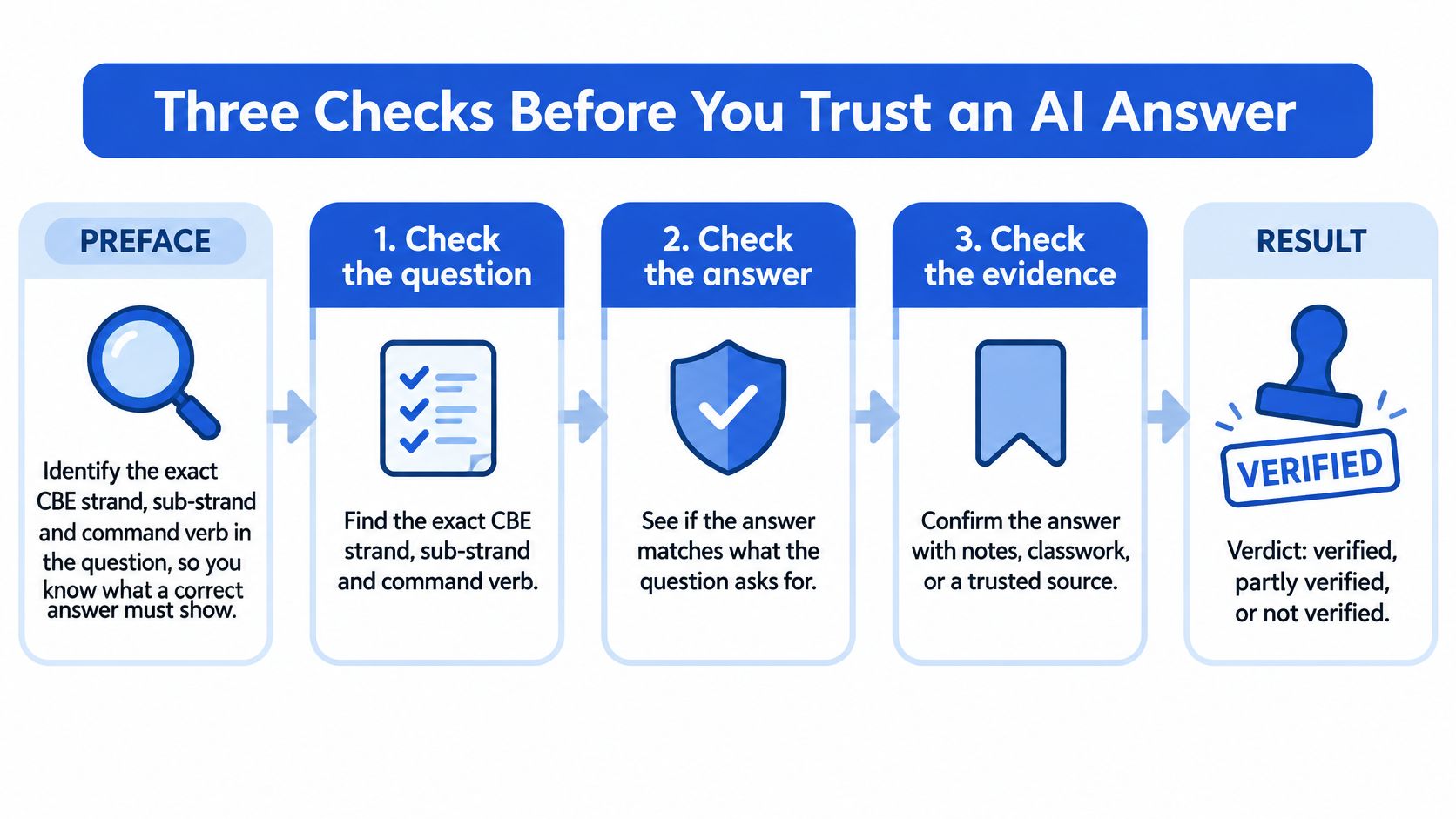
- Work it out yourself. Redo the calculation, formula and unit conversions on paper before copying anything. If your result differs, compare the working line by line to find where the methods separate.
- Check another trusted source. Start with your textbook, teacher's notes, Kenya Institute of Curriculum Development material or an official government site. Check that dates, names, formulas and quotations agree; where an important factual claim remains uncertain, add another independent authoritative source.
- Ask how it knows. Request the book, page or website supporting the answer, together with the assumptions and working. Open or locate that reference yourself: a citation that merely looks convincing isn't evidence.
Source verification and attention to context matter more than deciding whether text looks AI-generated, a distinction discussed in Kenya-focused media-literacy coverage. Zemith's guide on how to fact check AI answers offers additional checking approaches.
Verdict scale for an AI answer
Finish by closing the chat and explaining the answer in your own words. If you can't reconstruct the reasoning, you're not ready to mark it verified.
| Verdict | When it applies | What to do next |
|---|---|---|
| Verified | Strand, source agreement, units or citations and your own reconstruction all pass | Use it to study, and still explain it in your own words |
| Partly verified | A check fails but the rest hold, without an unresolved calculation or missing citation | Keep the confirmed steps and recheck the failed part with your textbook or teacher |
| Unverified | A citation cannot be found or a calculation does not match | Don't use it; solve the question again from class notes |
A correct calculation that answers the wrong command verb may be partly verified. A calculation that doesn't match, or a reference you can't find, is unverified: don't average the checks into a pass.
For a video companion, use the player below.
Check an Answer on a Shared Phone with Little Data
You don't need a long online conversation to check homework. When the family phone is available only briefly, prepare the task before opening the chatbot. Keep your exercise book, textbook and pen beside you.
Start and finish on paper
- Attempt the question offline. Write its command verb and topic beside your working. Use the strand heading in your school materials if it's available.
- Connect for a clear purpose. Send only the de-identified question in plain text, avoiding photo uploads and unnecessary chat exchanges.
- Combine your request. Ask for the assumptions, working and a checkable reference in the same message. Once the response arrives, read it and close the app rather than continuing without a specific question.
- Compare offline. Use the textbook or notes already beside you. Check the method, not just whether the final answer matches.
- Record and clear. Write the verdict and unresolved step in your notebook. Delete the conversation, sign out and close the session before returning the phone.
If you can't reach a cited webpage, leave that reference unverified. You can still inspect the calculation or compare the explanation with your textbook, but lack of data isn't a reason to assume a source exists.
A parent without a school login can help with the same paper-based comparison. Our guide to mobile learning provides further context for studying on a phone.
A useful notebook entry records the question, the source checked, the verdict and the next action. It doesn't need a screenshot of the conversation.
Use AI Honestly for Schoolwork
Consider learners given the same homework question. One copies the chatbot's response straight into an exercise book. Another asks for an explanation, closes the chat and attempts a similar question independently.
Their submitted pages might look equally tidy, but only the second approach gives the learner a way to demonstrate understanding. The purpose of homework is the thinking you practise, not producing a page that resembles a model answer.
Let the teacher's task rules decide
Follow your teacher's rules for each assignment. Permission to use AI for revision doesn't automatically mean permission to use it in an assessment, a project draft or a submitted essay.
If the rules aren't clear, ask before using the tool. You can ask whether hints are allowed, whether checking your own working is allowed, and whether any assistance needs to be recorded.
A DAAD Kenya discussion of the proposed higher-education AI framework identifies disclosure and verification as academic-integrity concerns. That discussion concerns higher education, not a blanket rule for secondary schools; your teacher's instructions still govern your task.
Keep evidence of your own thinking
When your teacher asks about AI assistance, state which tool you used and what you asked it to do. Explain whether it supplied hints, suggested an outline or helped you inspect a calculation, rather than describing all assistance as checking.
Our homework help guide offers another starting point for organising support around learning. Keep rough working and draft sentences so you can show how your answer developed.
Try these honest-use habits during your next assignment:
- Check permission first. Establish what assistance the task allows before opening a chatbot.
- Request an explanation. Ask for a hint about the step you don't understand instead of a finished submission.
- Note what you verified. Keep a short record of the method or source you checked yourself.
Don't replace unfamiliar words with simpler synonyms merely to disguise copied text. Close the response, think through the idea and write an answer you can defend without the phone.
Questions Parents Can Ask About AI Use
You don't need to know every subject or understand how a chatbot is built to have a useful conversation. Ask your child to show their process, and approach it with curiosity rather than starting with an accusation.
The aim is to find out whether your child can explain the work and recognise uncertainty. A calm conversation also gives them room to admit that an answer confused them.
Ask for a demonstration
- Show me the question you asked and the answer it gave. Look together at whether the response addresses the actual task.
- Which textbook, teacher note or site did you check it against? Ask your child to open the relevant page, rather than only saying they checked online.
- Can you explain the next step without holding the phone? Listen for the reason behind the method.
- What did you remove before you typed it? Let your child describe how they prepared the prompt.
- Did your teacher allow AI for this task? If neither of you knows, make that the question to resolve before submission.
Help without sharing identity
Use the textbook, teacher-provided notes or an independent calculation to inspect the answer. You don't need to enter your child's full name or school to find out whether a method makes sense.
In a 2025 Cambridge University Press and Assessment/YouGov survey of 1,084 Kenyan adults, 58% identified digital skills, including AI and data literacy, among the most important capabilities for the next generation, according to the Kenya News Agency's survey coverage. At home, you can turn that priority into a manageable conversation about an actual piece of work.
If you don't understand the subject either, help your child locate the uncertainty. Mark the disputed step and prepare a specific question for the teacher, rather than repeatedly asking the chatbot until it gives a reassuring answer.
Pick a homework question each week to check together. Praise the learner for noticing an unsupported claim or correcting their own method, not just for reaching the expected answer.
Practise Checking AI Answers This Week
Choose one permitted homework question you can check with your textbook, class notes or another reliable reference. Try it yourself first, then compare the AI's answer with your work. Aim for a verdict you can explain.
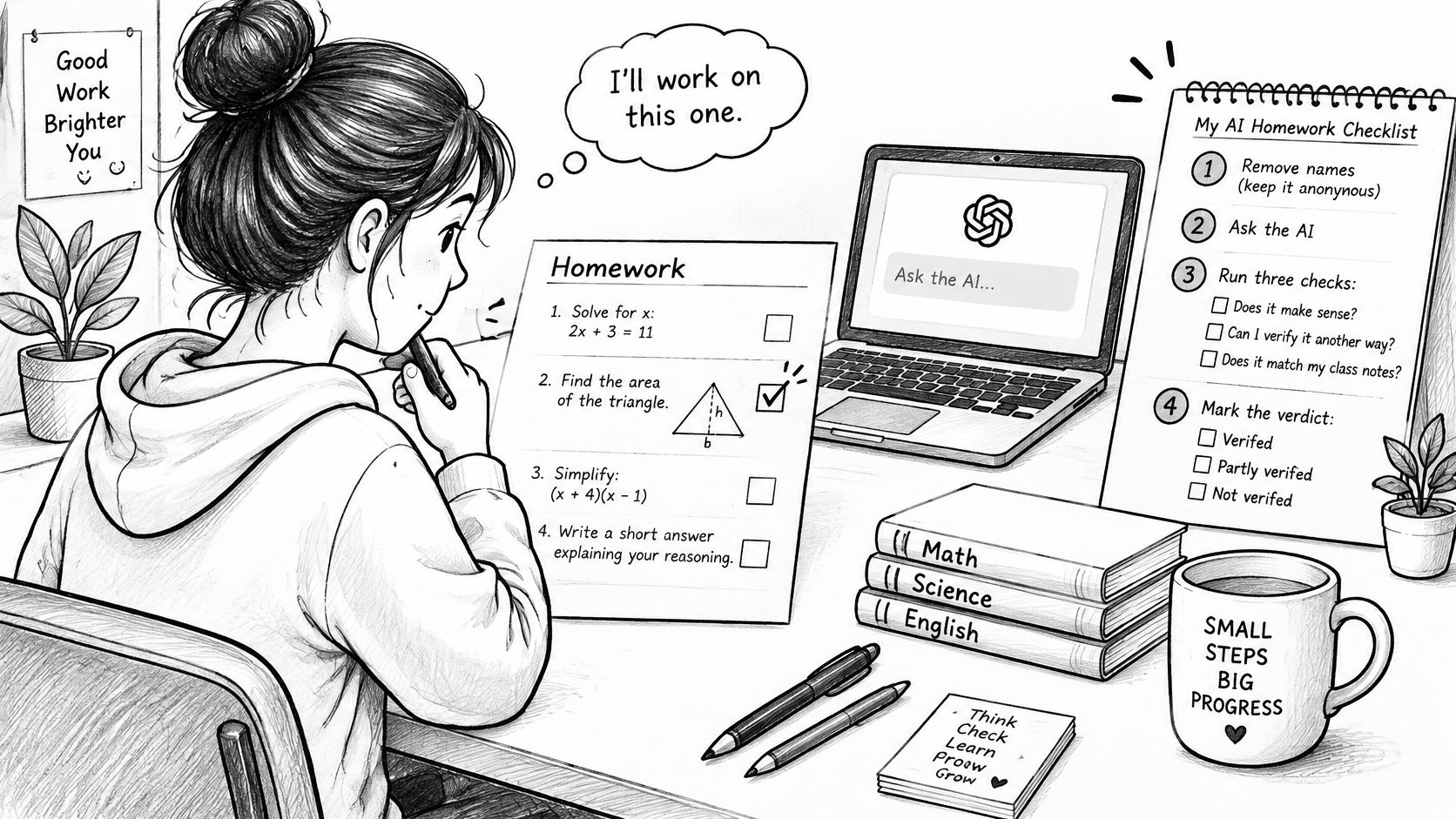
Keep the checklist beside your working. A polished response can still contain a mistake.
Make a record you can use
Write a short notebook entry:
- Task. Note the topic and what the question asks you to demonstrate.
- Evidence. Name the textbook section or class note you used to check the answer.
- Verdict. Mark it verified, partly verified or unverified.
- Next action. Write down what to correct, what reference to find or what to ask your teacher.
If the answer is partly verified, keep only the parts you confirmed. Leave out anything unresolved rather than copying it into your work.
An unverified answer gives you a clear next step: check your notes or ask your teacher about the uncertain part. If you use Keybaki, you can pick weak spots from your latest CEAs, study a queued list of lessons and activities, then prove progress with a 10-minute CEA. If something about Keybaki is unclear, you can email the team and a human replies.
An AI answer is a claim to verify, never an authority.
Comments
Loading…