
· reply all
How to Write a Clear Email (and When to Use Reply All)
15 min read
There's a message sitting in your drafts right now. Maybe it's to a teacher asking for a recommendation letter, to a clinic about attachment placement, or to a college admissions office about your results. You've read it four times. Something still feels off.
Anyone in that position usually isn't short of things to say. They're unsure about the shape of it: what belongs in the subject line, how much background to give, whether to attach the letter now or wait to be asked. So the draft grows longer, the greeting slides into "Hi", and it finally goes out as a wall of text the reader skims on a phone between lessons.
A clear email is a quiet advantage. It doesn't need long words or stiff English. It needs a reader who can tell within five seconds who you are, what you want, and what happens next. This guide walks through the four parts of a clear email, how to write the tricky ones, when Reply All is right, and how to check everything before you send.
Table of Contents
- The Four-Part Structure of a Clear Email
- How to Write Each Part Step by Step
- Attachments and Your Email Address
- When to Use Reply, Reply All and Forward
- Check Before You Send and Stay Safe
- Practise Your Next Email on Keybaki Labs
The Four-Part Structure of a Clear Email
Every clear email, whether it's a two-line question to a lecturer or a formal attachment request to an employer, has the same four working parts. A subject line that names the purpose. A greeting that uses the reader's name. A body that says who you are and what you need. A sign-off with your full name and a phone number.
The order matters more than the wording. Teachers, admissions officers and employers read email in the gaps of their day, often on a phone, often with thirty other messages waiting. If the purpose arrives three paragraphs down, the reader has already decided whether to deal with it now or later, and "later" is where messages go to die.
Kenya's connectivity makes this a practical discipline rather than a matter of taste. The 2023/24 Kenya Housing Survey, produced by the Kenya National Bureau of Statistics and the Communications Authority of Kenya, found that individual internet use reached 35.0% nationally in 2024, up from 22.7% in 2019. The urban and rural gap is wide, with 56.6% of urban residents online against 25.0% of rural residents, and use among people aged 15 to 24 rose from 32.3% to 46.6% over the same period.
Those figures describe your reader as much as your country. A message may land on a shared phone, arrive on limited data, or be forwarded to a deputy or a parent who never saw your original note. So the email has to stand alone, with no reliance on a conversation you had last week.
| Part | What to write | Example line |
|---|---|---|
| Subject line | The purpose or the action needed, in a few specific words | Application for Attachment: Jane Doe |
| Greeting | The reader's title and name | Dear Mrs Wanjiru, |
| Opening sentence | Who you are and why you are writing | My name is Jane Doe, a Form 4 learner at Riverside Secondary School. |
| Request and details | What you need, with dates, documents or reference numbers | I would like to do my attachment at your clinic from 3 March to 28 March 2026. |
| Sign-off | A polite closing, your full name and your phone number | Kind regards, Jane Doe, 0712 345 678 |
Keep that table in mind as a checklist. The next part takes each row and shows you how to write it, why it works, and what a finished email looks like.
How to Write Each Part Step by Step
Each part of a clear email answers a question the reader is already asking. Who is this? What do they want? When do they need it? Write the parts in this order and the answers line up on their own.
- Write the subject line first. Deciding the subject forces you to decide what the email is for, and everything after it gets easier. Give it the action or the topic plus a reference if one exists: Application for Attachment: Jane Doe, or Question About Interview Date. A specific subject is what the reader scans in a crowded inbox and what they search for a month later when they finally have your answer.
- Greet the reader by title and surname. Dear Mrs Wanjiru, not Hey. Use Dear Sir or Madam only when you cannot find a name, and spend two minutes trying first: a school website, a letter you already received, or a phone call to the office usually settles it.
- Open with one sentence about who you are. Your name, your school or course, and why you are writing. The reader can then place you in context instead of guessing whether you are a parent, a student or a supplier.
- Put the request in the second paragraph, then the details. Dates, documents and reference numbers work best in a short list rather than a long story. A request near the top prevents the follow-up question that costs everyone a week.
- Close with a thank-you and the next step you expect. A line like "a reply by Friday would help me meet the deadline" gives the reader a date to work to, and it makes a polite follow-up later feel reasonable rather than pushy.
- Sign off with your full name and phone number. Yours sincerely or Kind regards works for almost every situation. Your full name should match the name on your documents, and the phone number is the fallback when email fails.
Skip the slang, the emojis and the long family history before the request. None of it is rude, but all of it delays the one thing the reader needs.
When an email goes to several people, add one more habit: name an owner for every action. "Kindly advise" sent to three addresses is usually answered by none, because each reader assumes another will act. "Mr Otieno, could you confirm the dates by Friday?" gives the thread a record of who was asked for what, and that record is what everyone checks if the task slips.
Treat the whole message as a document that can travel. It may be forwarded, printed or read aloud to someone you never addressed, so write as if a stranger will read it. The same caution applies to what arrives: the Communications Authority of Kenya's cyber security report recorded more than 840 million cyber-threat events in October to December 2024. An unexpected attachment or a sudden change of payment details is worth a second look before you reply or forward.
The test that matters: a reader should be able to answer "What do I need to do, by when, and what happens next?" without replying to ask. If they can't, the problem is usually ambiguity, not grammar.
For a second opinion on tone and phrasing, email etiquette guidance from AIDictation covers the small conventions that separate a courteous message from a clipped one. If you are still hunting for keys while you type, touch typing for beginners starts with the home row, which makes short work of a clean draft.
Here is the finished email, using made-up details:
Subject: Application for Attachment: Jane Doe
Dear Mrs Wanjiru,
My name is Jane Doe, a Form 4 learner at Riverside Secondary School. I am writing to ask whether I may do my attachment at your clinic from 3 March to 28 March 2026. I have attached my introduction letter and my student ID.
Could you confirm the dates or tell me which documents you need? My phone number is 0712 345 678. Thank you for your time.
Yours sincerely,
Jane Doe
Six short lines of substance, and nothing a reader has to decode.
Attachments and Your Email Address
Start with the address itself, because it appears on every message you will ever send. Use your own name, such as jane.doe or janedoe, rather than a nickname, a birth year or a joke you liked at fifteen. A stranger deciding whether to open your message forms an impression from the address before they read a word, and the wrong one makes an application look careless. If a school or college gives you a specific format, follow theirs.
The filename matters almost as much. IMG_4471.jpg tells the reader nothing and gets lost in a downloads folder; JaneDoe_IntroLetter_2026.pdf says who it belongs to and what it contains.
Attach in this order and you won't forget:
- Attach the file before you write a single word. The empty attachment problem disappears when the file is already there and the email is written around it.
- Name each file clearly, using your name, the document type and the year. Do the renaming before you attach, not after.
- Mention every attachment in the body by name, so the reader knows to look for it and can tell at a glance if one is missing.
- Keep sizes sensible. A PDF or a compressed photo is easier to open on a phone than a full-size camera image, and it survives being forwarded to a second reader.
Then there's privacy, where it's easy to over-share without noticing. Kenya's Office of the Data Protection Commissioner defines personal data as information that can identify a natural person, including indirectly, so an email address, phone number, student record or scanned ID all count. Its principles ask for data collected for explicit purposes, limited to what is necessary, and kept no longer than needed. In practice, that means sending only what the recipient asked for and not forwarding someone else's details casually.
When something goes to the wrong address, act the same day. Contact the recipient and ask them to delete it, then report it through your school's or employer's channel.
This isn't only etiquette. Kenya's Personal Data Protection Handbook expects a data breach to be reported to the Data Commissioner within 72 hours of the organisation becoming aware of it, with a processor notifying the controller within 48 hours. A misdirected ID scan is small, but it's the same category of event, and speed is what limits the damage. If you're sending from a shared computer at a cyber café or a school lab, sign out and leave nothing behind before you walk away.
When to Use Reply, Reply All and Forward
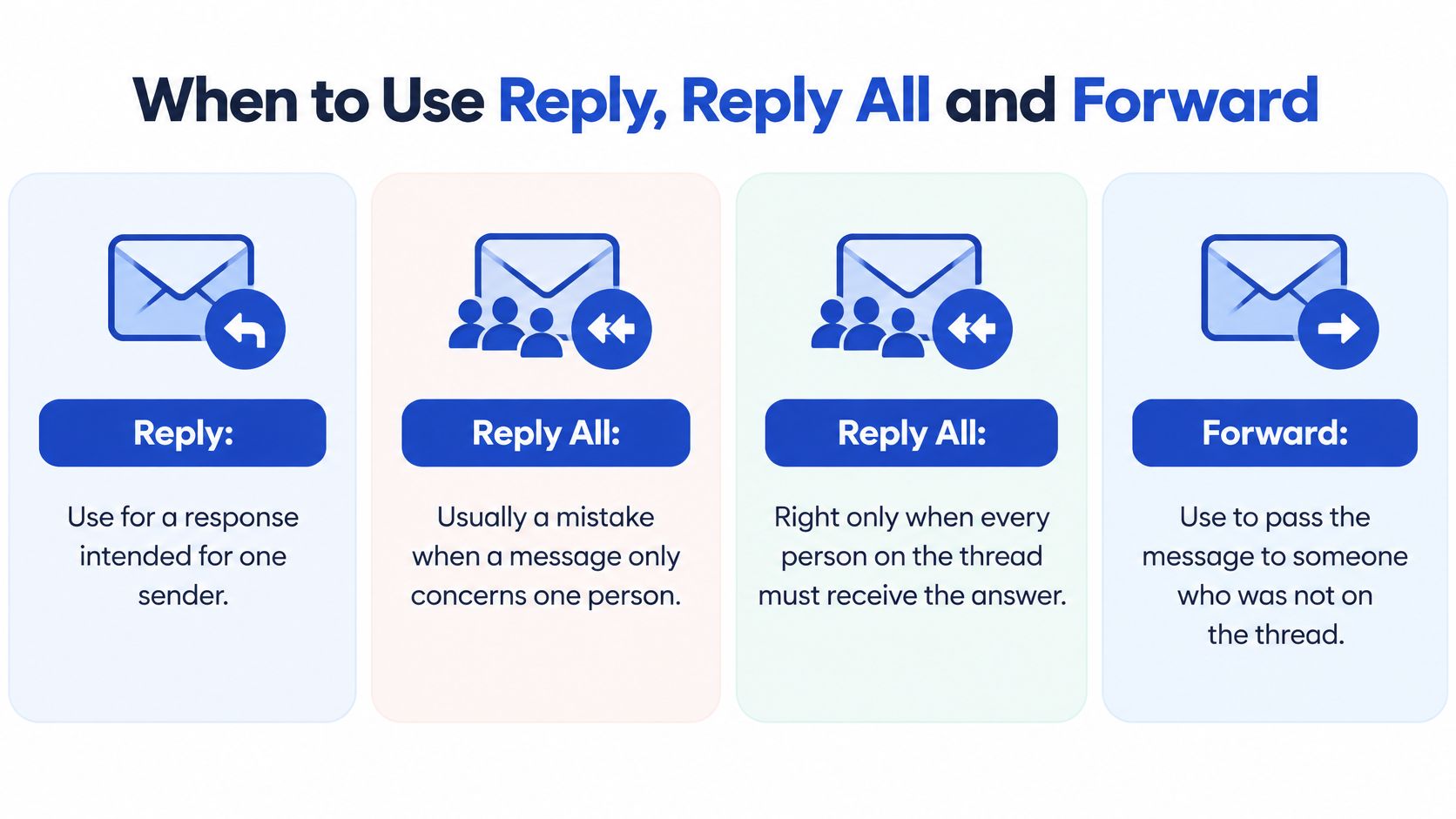
Reply All is right only when every person on the thread needs the answer. When one person needs it, Reply All is a mistake, and often a privacy one, because the reply reaches people the message was never meant for.
Kenya's data protection law treats that kind of over-sharing seriously. Personal details are meant to be used for the purpose they were shared, so an email address collected for one school matter is not blanket permission to broadcast to everyone attached to it. Choosing Reply over Reply All is one of the simplest ways to honour that limit.
Two school examples make the boundary obvious. A head of department changes the timetable for the whole department: that is a shared decision record, so Reply All is correct, and it protects you later because everyone can see what was agreed. A teacher wants to discuss one learner's weak strand, an assessment result or a family situation: that goes to one recipient, because nobody else needs it and the learner has a right not to have their performance shared across an office.
Class groups follow the same logic. If a classmate asks the whole group when the assignment is due, reply to that classmate only unless the answer genuinely helps everyone on the list. And when you are the one starting a thread, put the people who must act in To, the people who only need visibility in CC, and keep BCC for legitimate bulk messages where recipients should not see each other's addresses. Forward carries the same duty of care, since a forwarded thread brings every earlier address and comment with it.
Record-keeping rule: if leaving someone off the reply means they will not know a decision that affects their work, that is the wrong choice. Reply All exists for that case.
Reading happens across devices, which raises the stakes on who sees what. The Communications Authority's sector statistics report recorded 58.5 million data subscriptions and 73.2 million connected mobile phones by June 2025, so a group message is likely to be opened on a personal phone, on a shared family device, or forwarded onward. Assume anything you send to a list may be read by someone you never pictured.
| Option | Who receives it | Use when | Avoid when |
|---|---|---|---|
| Reply | Only the sender | You're answering a question the sender asked | Other people must act on the answer or keep the record |
| Reply All | The sender and everyone on To and CC | Every listed person must act on the decision or keep the record | Only one person needs the answer, or the message holds personal details |
| Forward | A new recipient you choose | Someone new needs the message and its context | The original holds other people's personal details they shouldn't see |
| CC | Extra people who can see the thread | A person should follow the discussion but isn't the main reader | You're copying someone to pressure them or to hide the message from others |
| BCC | Hidden recipients, who can't see the other names | A legitimate bulk message where recipients shouldn't see each other | You're hiding a decision from someone who needs a record |
If you want a second read on the social side of this, when to avoid hitting reply all covers the group dynamics that turn a small mistake into a department-wide annoyance.
Check Before You Send and Stay Safe
Thirty seconds of checking prevents most of the emails people regret. Run this list every time, even when you're in a hurry.
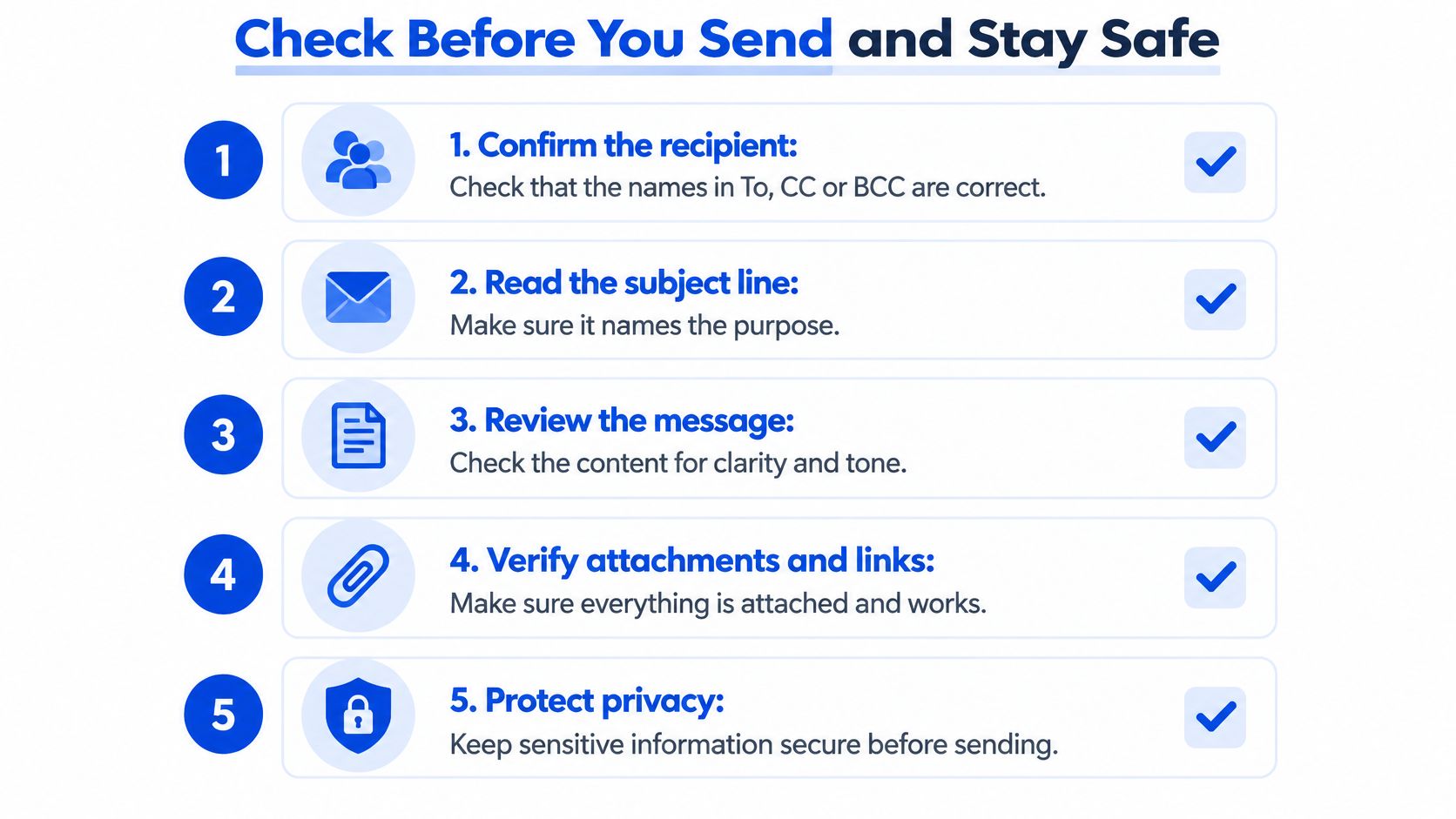
- Confirm the recipient: check that every name in To, CC or BCC is someone who should see this message, and that you haven't replied to a group when you meant one person.
- Read the subject line: it should still name the purpose now that the email is finished, especially if the draft changed while you wrote it.
- Review the message: read the greeting and your own name for spelling, then read the whole thing once for tone. Would you say it out loud to this person?
- Verify attachments and links: confirm the file is attached, opens, and is the version you meant to send.
- Protect privacy: take out anything the recipient doesn't need, such as a full ID number when the last four digits would do.
Attachments and links are also one of the ways harmful content reaches people. The National KE-CIRT/CC cyber security reporting lists email attachments alongside USB devices and social media as entry routes for malicious content, and recommends verifying unusual requests through an independent channel rather than trusting the message itself.
So when something arrives unexpectedly, even from a name you recognise:
- Pause. Don't open the attachment or click the link yet. A moment's delay costs nothing.
- Check the sender's address, not just the display name. A message can look like it comes from your teacher while the address belongs to someone else.
- Confirm through a channel you already know. Phone the number you have saved, or visit the official website yourself. Never use the contact details inside the suspicious email.
- Report or scan it the way your school, college or workplace asks.
Fake admission and placement messages follow exactly this pattern, promising a place in exchange for a payment link, so check before you pay anything.
Practise Your Next Email on Keybaki Labs
Learning email from an article works like learning to swim from a book: the strokes only settle once you are in the water. The four-part structure, the choice between Reply and Reply All, the pre-send check, each one becomes reliable through repetition, and repetition needs a place where a wrong click costs nothing.
Practise email on Keybaki Labs and rehearse the same decisions this guide has walked through: who belongs in the To field, what your subject line promises, and whether everyone who needs the record stays on the thread. That last choice deserves a second thought. Reply All keeps the thread intact for people who need the full picture, while dropping a name can remove someone from a decision they were part of. If anything in the practice doesn't make sense, email Keybaki and a human replies.
Two other posts on the Keybaki blog pair well with this one: the guide to spotting phishing messages, and the walkthrough on formatting a first CV. Both are worth reading before you send an application with documents attached.
Then do the thing this week. Write one short email to a real teacher, lecturer or employer using the four-part structure, run it against the pre-send list, and attach only what they asked for. One sent message teaches more than ten drafts.
Keybaki is built in Nairobi for Kenya's CBE curriculum, with a shared planner, a CBE-mapped digital library and continuous assessments for Grades 7 to 12 that keep planning, teaching and evaluation in one weekly loop. Alongside that, Keybaki Labs gives learners room to rehearse the practical skills school leavers and job seekers use from their first application onward. Start at Keybaki and send your next message with a little more confidence.
Comments
Loading…