
· Keybaki
E Learning Platform for CBE in Kenya: A Practical Guide
14 min read

It's Sunday evening in Nairobi. Your scheme of work is open, a parent's message is waiting on WhatsApp, and last week's assessment notes are somewhere between an exercise book and your phone. You don't need another place to download worksheets. You need a clear answer to a classroom question: what should I teach differently next week, and why?
Table of Contents
- The Sunday-Night Question Every Kenyan Teacher Knows
- How an E Learning Platform Actually Works
- What to Look for in a CBE-Aligned Platform
- Tracing One Teaching Week Inside a Capable Platform
- When the Phone Is Shared and the Power Is Unstable
- How Keybaki Closes the Weekly Loop
- Choosing With Confidence and Closing the Loop
The Sunday-Night Question Every Kenyan Teacher Knows
Consider a hypothetical Grade 8 English teacher preparing for Monday. She has selected a reading activity, but Friday's work showed a problem: some learners could identify information in a passage yet struggled to explain their answers using evidence. Repeating the whole lesson would waste some learners' time, while moving on would leave others behind.
Her difficulty isn't finding more content. It's connecting what she observed to a sensible teaching decision.
A parent faces a related problem. A mark arrives on the family phone, but it doesn't explain what the child can do independently, where support is needed, or what practice would help. Meanwhile, the department lead wants to know whether curriculum coverage means lessons were delivered or learning was demonstrated.
A shared workspace, not another folder
For a CBE school, a useful working definition of an e learning platform is a shared weekly workspace where teachers plan learning, learners complete activities, and adults review evidence to decide what comes next.
A digital library can sit inside that workspace, but a library alone isn't the whole platform. A collection of videos doesn't necessarily help a teacher choose tomorrow's task. A quiz bank doesn't necessarily explain why a learner needs a particular revision activity.
Practical rule: Judge the platform by the teaching decision it helps you make, not by the number of resources on its home screen.
Kenya's experience offers a useful warning. The Digital Literacy Programme began in 2013, but a 2024 review found that only 39% of schools had adequate infrastructure, digital content and teacher professional development to use the devices effectively, according to the GISWatch Kenya country report.
My curriculum advice is straightforward: start with the weekly work, then choose the technology. The teacher needs a manageable plan, the learner needs an appropriate activity, the parent needs an understandable explanation, and the school head needs trustworthy reporting. The brand matters less than whether those people can work from the same learning evidence.
How an E Learning Platform Actually Works
Think of a school kitchen preparing a meal. Ingredients matter, but ingredients alone don't make lunch. Someone must choose a recipe, organise preparation, check the result and adjust what happens next.
The same distinction helps explain learning technology. Content is the ingredient cupboard. Planning and teaching are the preparation. Assessment checks the result. Reporting supports the adjustment. These parts need to connect.
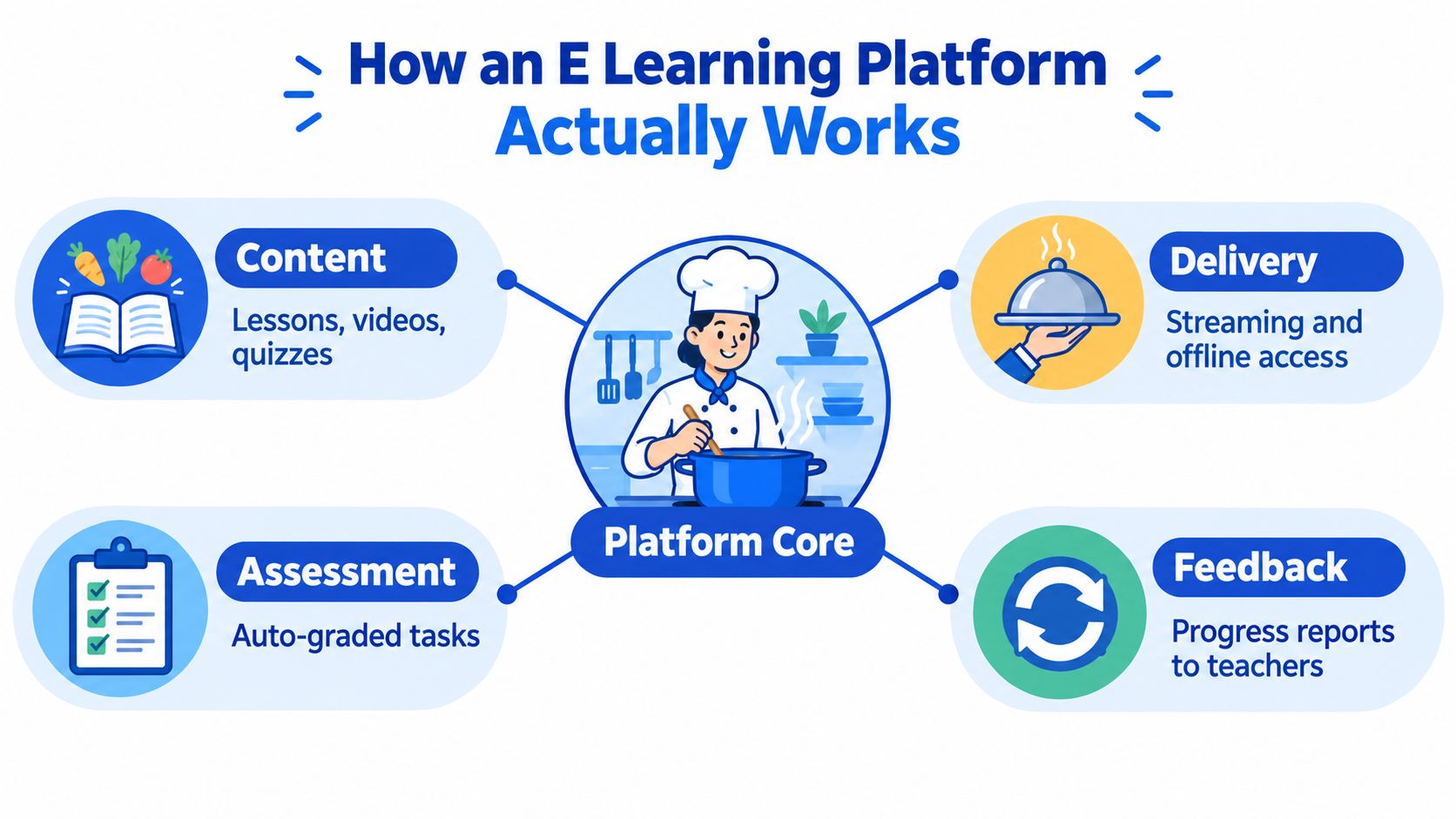
From a resource to a teaching decision
Begin with a curriculum-mapped resource. The teacher should be able to see the intended learning outcome before choosing a passage, demonstration or practical activity. Otherwise, an attractive resource may not serve the lesson.
The planner then turns that resource into classroom work. It should help the teacher specify what learners will do, what materials they'll need, and how the teacher will check understanding. A suggested plan remains a draft, not an instruction the teacher must obey.
Assessment produces evidence. A selected-response question may check recognition, while an explanation, observation or practical task may reveal how the learner applies knowledge. The infographic's automatically graded tasks illustrate part of this process, not the full scope of CBE assessment.
Finally, a useful report should support an action. If learners can recognise an idea but can't explain it, the next plan should include explanation practice rather than another round of recognition questions.
Different roles, connected records
The people using the platform shouldn't all receive the same screen.
- Teacher: Reviews work, adjusts teaching and records professional judgement.
- Learner: Sees the assigned activity and feedback that makes the next step clear.
- Parent or guardian: Receives a plain-language summary and a manageable support action.
- School head: Reviews coverage, outstanding assessment evidence and intervention needs without editing classroom judgements.
Shared records don't mean unrestricted access. Ask who can see learner work, who can change results, and how access is removed when responsibilities change. For the school's network discussion, Purple Access's WiFi security for schools is a useful resource to put alongside questions about platform permissions.
The kitchen analogy has a limit: learners aren't identical portions. Teachers must interpret the evidence and adapt the plan to the children in front of them.
What to Look for in a CBE-Aligned Platform
During a vendor demonstration, start with an ordinary classroom difficulty rather than a feature menu. Bring a learning outcome, a sample learner response and a phone similar to the devices families use. Ask the vendor to show what happens to that work.
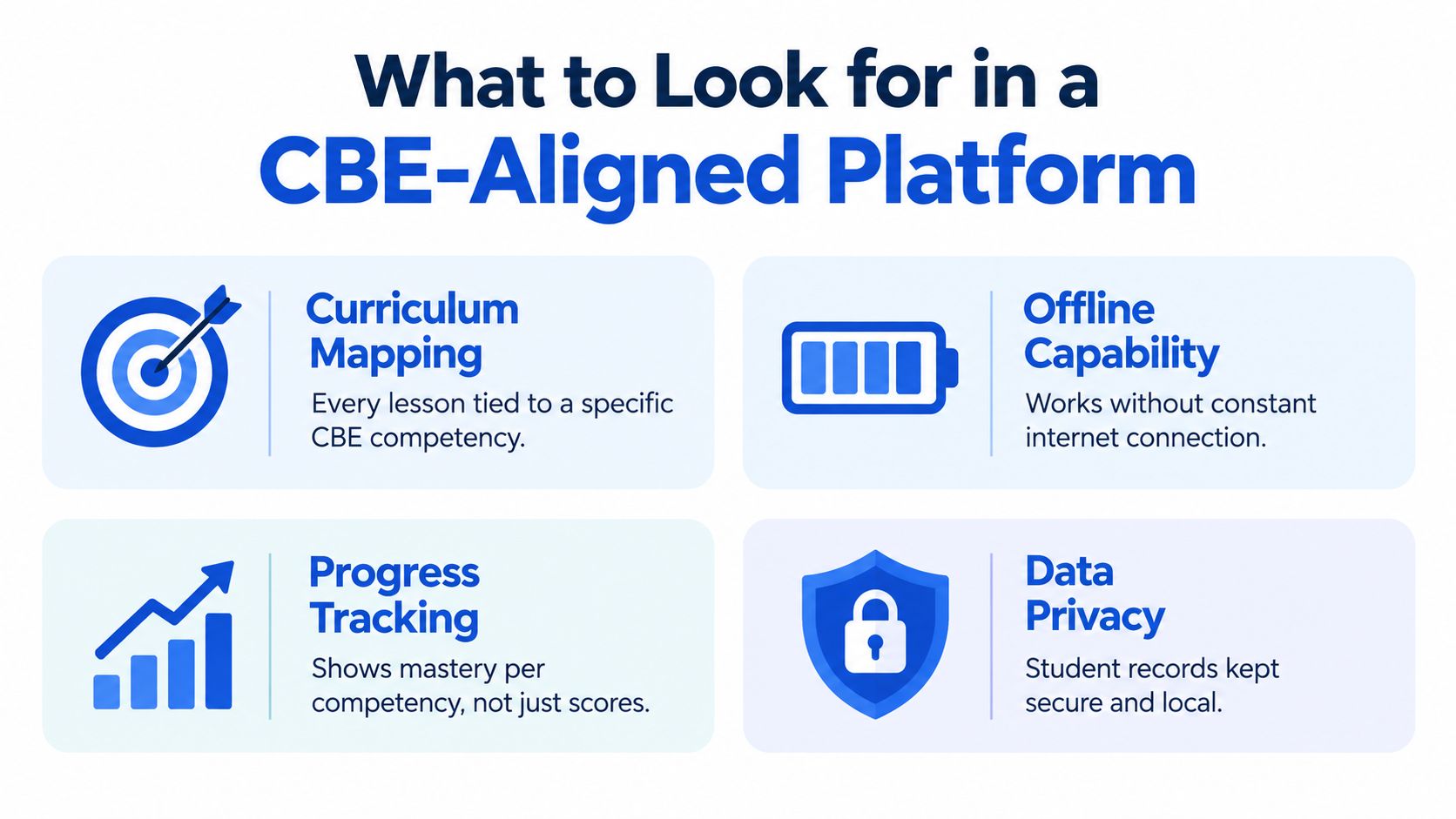
Follow the curriculum trail
Suppose a lesson carries the label “communication skills”, but the teacher can't identify its strand or sub-strand. That broad label isn't enough to explain why the activity belongs in the weekly plan.
Look for curriculum traceability from lesson to task to result. Ask the vendor to open an assessment item and show its grade, subject, strand, sub-strand and intended learning outcome. Then ask whether those identifiers remain visible in the report.
The test is practical: can a department lead follow the record without asking the teacher to reconstruct the connection separately?
Distinguish competency from a mark
A learner may select the correct answer about collaboration without demonstrating collaboration during group work. A quiz score and a demonstrated competency answer different questions.
Kenya's Basic Education Curriculum Framework defines competency through the successful application of appropriate knowledge and skills, and describes competency-based assessment as collecting performance evidence against a defined standard.
Ask for editable rubrics, evidence attachments and teacher moderation for tasks that need judgement. Reports should distinguish a raw percentage from mastery status and identify evidence that still needs review. Automatic marking is useful for suitable objective items, but it shouldn't stand in for observing an oral presentation or practical performance.
Teacher support matters here. A 2025 Kenya-focused study found that 46.5% of teachers felt confident in their understanding of CBE, while designing suitable assessment tools was a challenge for 65.5%, according to the study on teachers' understanding of CBC.
A useful demonstration should therefore include guidance on interpreting an outcome and adapting assessment criteria, not just creating a quiz.
Test access and payment in real conditions
The remaining criteria concern whether learners can complete the work.
- Continuity on constrained devices: Ask for an offline demonstration, a low-bandwidth setting, projector delivery and readable layouts on a small screen. Check what English and Kiswahili support covers rather than accepting a language badge.
- Accessible payment: Try phone-number sign-in and ask how M-Pesa payments work, whether access expires during an activity, and whether any card details are stored. Require a clear explanation of core charges and optional costs.
Keep privacy separate from marketing language. The infographic's reference to local records should prompt a question about actual storage arrangements, not an assumption that every platform keeps data locally. Ask about access controls, exports, deletion and responsibility for support.
A school can use Nutmeg Technologies' 2026 guide to school IT as an additional resource when preparing its operational questions. The decisive evidence, however, is the vendor showing your workflow on your devices.
Tracing One Teaching Week Inside a Capable Platform
Mrs Wanjiku is a hypothetical teacher, not a reported customer case. Her week provides a demonstration scenario that a school can ask any vendor to reproduce.
On Monday, she prepares a Grade 9 science lesson using a Chemistry-related strand selected from the applicable curriculum. A capable planner could draft a 5E sequence: Engage, Explore, Explain, Elaborate and Evaluate. She checks the mapping, replaces an activity that needs unavailable materials and edits the task for learners who need more support.
A content-only platform stops after she downloads the lesson. A connected platform should preserve the relationship between her edited plan, the selected outcome and the assessment she intends to use.
The important moment is after the check
Mid-week, Mrs Wanjiku schedules a Continuous Evaluation Assessment, or CEA, alongside a task that requires learners to explain their reasoning. The objective questions can be marked automatically where appropriate; she reviews the explanation using agreed criteria.
Suppose the responses reveal difficulty with a particular sub-strand. The platform should help her inspect the underlying work before recommending revision. A weak result might reflect a misconception, an unclear question or unfinished work, so she shouldn't accept the label without checking.
On Friday, she prepares a parent briefing. Instead of sending an unexplained mark, she identifies the learning gap and suggests an activity the learner can attempt independently. Work that hasn't reached the system should appear as outstanding, not automatically as poor performance.
By Sunday, the next draft should contain a proposed reteaching block connected to the reviewed evidence. Mrs Wanjiku can change it, postpone it or replace it. The connection should survive her edits, so the department lead can understand the instructional decision later.
A report is useful when a teacher can explain the next action from it. A colourful chart without that explanation is still unfinished work.
Weekly Loop Capabilities at a Glance
| Weekly Moment | Capability Required | Why It Matters |
|---|---|---|
| Monday planning | Curriculum-linked, editable lesson draft | Keeps preparation connected to the intended outcome |
| Classroom delivery | Presenter view and accessible activities | Lets the teacher use the plan with available equipment |
| Mid-week evaluation | Objective marking plus teacher-reviewed evidence | Separates scored responses from demonstrated performance |
| Friday reporting | Plain-language gaps and evidence status | Helps families understand what needs attention |
| Sunday preparation | Evidence-linked reteaching suggestions | Connects reviewed results to the next instructional decision |
For department leads, a school curriculum tracking system for CBC in Kenya is a relevant starting point for discussing how coverage records connect to classroom evidence.
The comparison isn't “paper versus digital”. It's between a process that requires the teacher to rebuild every connection manually and one that preserves those connections while leaving judgement with the teacher.
When the Phone Is Shared and the Power Is Unstable
A page can look good on a smartphone and still be unsuitable for a learner's home. The phone may only be available after a parent returns from work. A download may stop halfway through, or the learner may lose power before submitting an answer.
Mobile-friendly isn't the same as inclusive. My test is whether the learner can continue the assigned work when access is interrupted, without being penalised for the interruption.
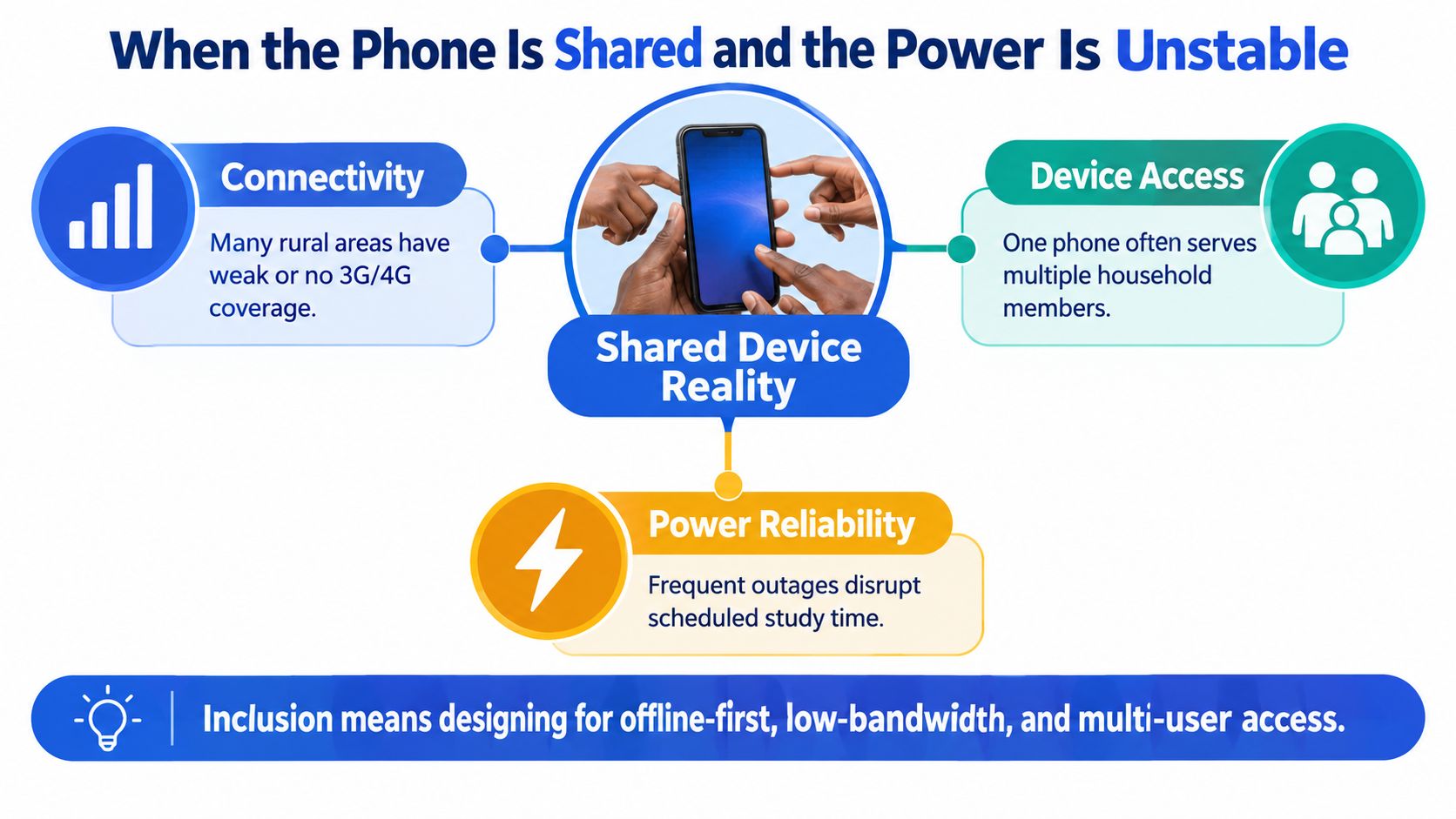
Kenya's device mix makes that distinction important. By June 2025, mobile broadband accounted for 78.2% of data subscriptions, yet feature phones represented 56.2% of connected mobile devices, according to the Communications Authority's digital services update.
School access is uneven too. UNESCO reported early connectivity data showing 3,469 of 23,286 public schools connected, or 14.9%, in its school connectivity financing guidance. These are infrastructure indicators, not proof that an individual learner has reliable evening access.
Protect unfinished learning
Ask the vendor to demonstrate an interruption, not merely promise offline access.
- Compressed lesson packages: Essential text and images should be available without making video compulsory.
- Local assessment storage: Answers should remain on the device until they can be submitted.
- Resumable downloads and synchronisation: Reconnecting should continue unfinished transfers rather than require the learner to begin again.
- Visible submission status: Teachers and families should know whether work is saved, awaiting upload or successfully received.
The practical distinction is between downloading content and completing the learning process offline. A platform might support the former without supporting the latter. The guide to running a school without reliable internet can help schools frame that operational discussion.
Make household sharing manageable
Test switching between children's profiles on the same phone. A PIN-based profile should help separate assignments and records, while sign-out and account recovery need to be understandable to the adult managing access.
Ask whether parent briefings use plain language and whether Kiswahili support includes instructions, not just selected lessons. For school delivery, projector mode can provide a shared route into an activity, with teachers recording evidence from discussion or exercise books where appropriate.
Brookings' analysis of learning what matters in Kenya identifies limited digital tools and infrastructure, particularly in arid and semi-arid regions, alongside unequal parental engagement and weak coordination.
Don't make parents substitute teachers. Give them a clear support action, and give teachers a way to distinguish an access problem from a learning problem.
How Keybaki Closes the Weekly Loop
A Thursday-evening question can expose whether a platform connects the week's work: a guardian opens a learner's record and asks what needs practice. The answer should lead from reviewed evidence to a suitable activity, then into Friday's report and the teacher's Sunday plan.
Keybaki's platform offering includes CBE-mapped content and assessments for Grades 7–12 across 14 subjects, organised by strands and sub-strands, with M-Pesa tokens from around KES 10 per day per child. These are starting points for evaluation, not proof that the weekly loop works in a school's everyday conditions.
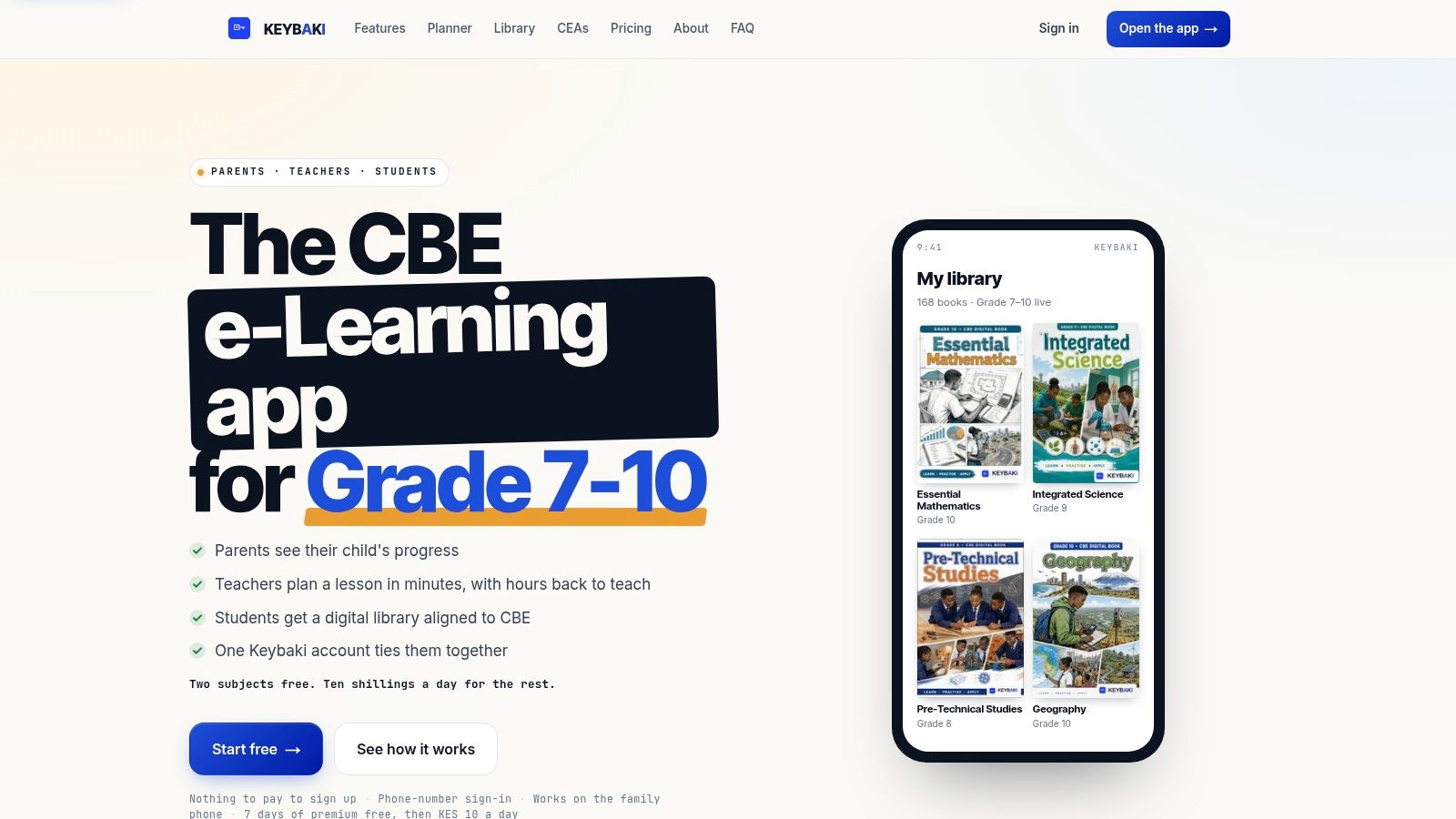
During a demonstration, follow one learning need from assessment evidence to a learner activity, a Friday report and the next teaching plan. Ask to see the proposed 5E planner, mastery reporting, parent and student views, and offline behaviour in operation. Check whether a teacher can edit a suggested reteaching activity while keeping its link to the evidence. Practical tasks also need a clear account of moderation, since automated results may not show every competency.
The guide to CBE assessment methods can help teachers decide which tasks call for professional judgement.
Demo question: Can I inspect the learner's evidence, change the teaching response and still explain the decision from the record?
Confirm the support arrangements
Ask who helps when a teacher finds an incorrect curriculum mapping, needs to recover access or cannot interpret a report. Confirm the support channels and response arrangements directly.
Then compare the platform with the school's existing mix of planning records, classroom resources and reporting tools. A useful system should keep the teacher's judgement visible: staff need to understand and justify a suggested plan or mastery label before using it to guide the next lesson.
Choosing With Confidence and Closing the Loop
By Friday, a teacher has reviewed learner work and identified who needs more support. The buying question is whether the platform carries that evidence into next week's teaching plan without requiring staff to rebuild the connection by hand.
A school can start with a manageable workflow. It needs the system to fit its curriculum, assessment practice and access conditions. Parents need clear information about learning and payment; teachers need to understand and control the decisions that shape instruction.
Use a demonstration checklist
- Trace the outcome: Follow one learning outcome from the weekly plan to the report in a single sitting.
- Confirm the terms: Clarify payment, permissions, support and whether school records can be exported.
Then consider the work of introducing the system. A platform may make one task easier while adding steps elsewhere. Start with a practical teaching workflow and review whether its records help staff decide what to teach next.
Choose a platform that connects planning, teaching and evaluation under your school's actual conditions. A polished demonstration shows what the system can do; a repeatable weekly workflow shows whether staff can use it.
For CBE-mapped learning content and assessments organised by strands and sub-strands, visit Keybaki. Bring a current learning outcome and a sample assessment, then ask how both move through weekly planning, teaching and reporting.
Comments
Loading…