· what is phishing
What Is Phishing? How to Spot a Fake Link Before You Click
12 min read
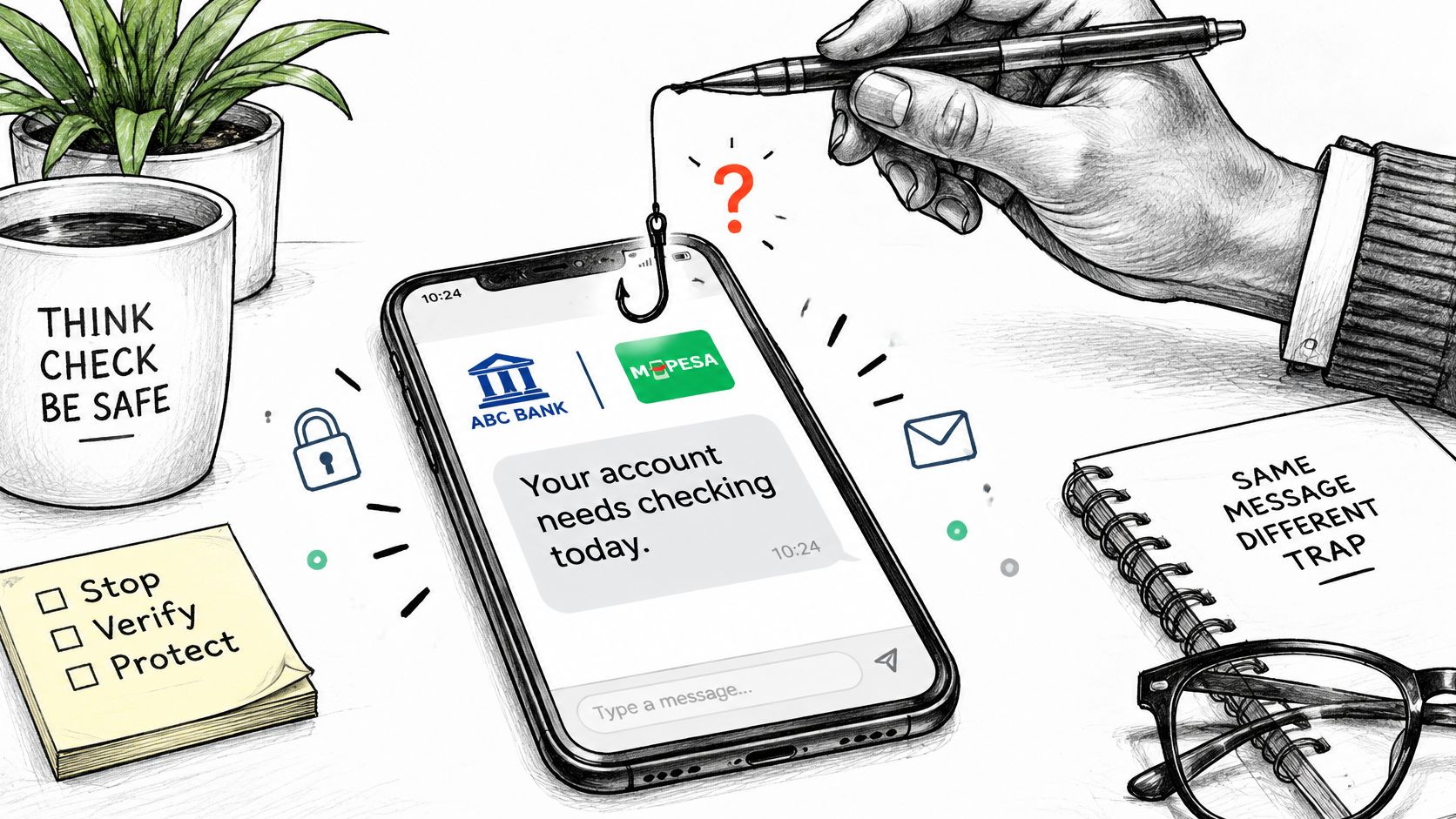
You're making tea when a text arrives. It looks like it's from your bank or M-PESA, it says your account needs checking today, and there's a link ready to tap. Don't tap yet. That small pause, and knowing what to look for next, is what keeps your money and your accounts safe.
Table of Contents
- Phishing Explained in Plain Words
- Fake Messages and Their Warning Signs
- Reading a Web Address Without Being Fooled
- How to Check a Link Before You Click
- When a Call or SIM Change Is the Real Attack
- What to Do If You Already Clicked
- Practise Spotting Fakes on Keybaki Labs
Phishing Explained in Plain Words
That message may be real, or it may be phishing. Here is the plain meaning.
Phishing is a message pretending to be someone you trust so that you click a link, log in, share a code or send money.
A phishing message works like a counterfeit school ID at the school gate. The person looks right, so the guard waves them in. Phishing borrows trust the same way.
Most phishing messages carry three parts. A disguise, such as a familiar name or logo. A hook, a reason to act now. An ask, a link to tap, a code to share or a payment to make.
The link itself is usually one step in a longer chain: the message, the page it opens, the details you type and the money or account that moves at the end. Because the attack runs through that chain, you can break it at any step. For bank, M-PESA, email and government accounts, the safest break is often to skip the received link entirely and reach the service through the official app or an address you type yourself.
Students, parents and teachers can all receive phishing, because it targets people rather than phones. The Communications Authority of Kenya, through KE-CIRT/CC, recorded more than 840 million cyber threat events between October and December 2024, up 27.82% from roughly 657 million in July to September 2024, and the report discusses phishing among the threats directed at Kenyan users, as set out in the Communications Authority Q2 2024 to 2025 cyber security report.
Fake Messages and Their Warning Signs
A mother in Nakuru gets a text: her M-PESA account has a problem, tap here to fix it. The wording feels official. The link is the trap, and the message is only the first step in a longer chain that can end with a phone call, a SIM change and an empty mobile-money account.
Fake messages reuse a small set of patterns. Learn the pattern and you will spot new versions faster, whether they arrive by SMS, WhatsApp, email or phone call. These are general patterns, not copies of real messages.
Common Fake Message Patterns and What They Want
| Pattern | What the message says | What it wants from you |
|---|---|---|
| Account suspended | Your account will be closed unless you confirm within a short time | Login details or a PIN |
| You have won a prize | You're selected for a reward and must pay a small fee or claim through a link | Payment details or personal information |
| Parcel waiting | A delivery could not be completed, tap to reschedule and pay a fee | Card details or a small payment |
| Verify your bank or M-PESA details | Unusual activity has been found, confirm your identity now | Account number, PIN or one-time code |
| Friend's hacked account | It's me, I'm stuck and need the code you just received | The one-time code, which opens the account |
| Fake reversal or school fee | A payment was sent by mistake, or fees are due to a new number | Money sent back, or approval of a payment |
The Authority's October to December 2025 report found criminals impersonated trusted institutions, employers, delivery services and government agencies through calls, SMS and messaging apps, with some campaigns using QR codes and shortened links to avoid email filters, as described in the Communications Authority Q2 2025 to 2026 report.
A Five Second Checklist
Urgency or threats: A deadline, a closing account or a warning that you'll lose something.
Unexpected sender: You weren't expecting this contact, or the reason feels sudden.
Impersonal greeting or pressure to stay quiet: "Dear customer" instead of your name, or instructions not to tell anyone.
Secret information requested: A password, PIN, one-time code or card detail asked for by message.
Too good to be true: A prize or reward you didn't enter for.
Hidden link or code: A shortened link or QR code that conceals where you will land.
One sign means pause. Two or more mean don't act until you've checked through a number or app you already know is genuine.
When a message claims to be from your bank, M-PESA, your email provider or a government service, the safest move is to skip the received link entirely. Open the official app, or type the address yourself. A genuine problem will still be there when you arrive by your own route.
Checking messages this way is part of wider digital literacy skills for everyday life. Be extra careful with the friend's account trap. It feels personal because it comes from a name you trust, but that account may already have been taken over.
Reading a Web Address Without Being Fooled
The first name you see in an address isn't always where you'll land. Look at this made up example, https://yourbank.secure-check.example/login, and read it slowly.
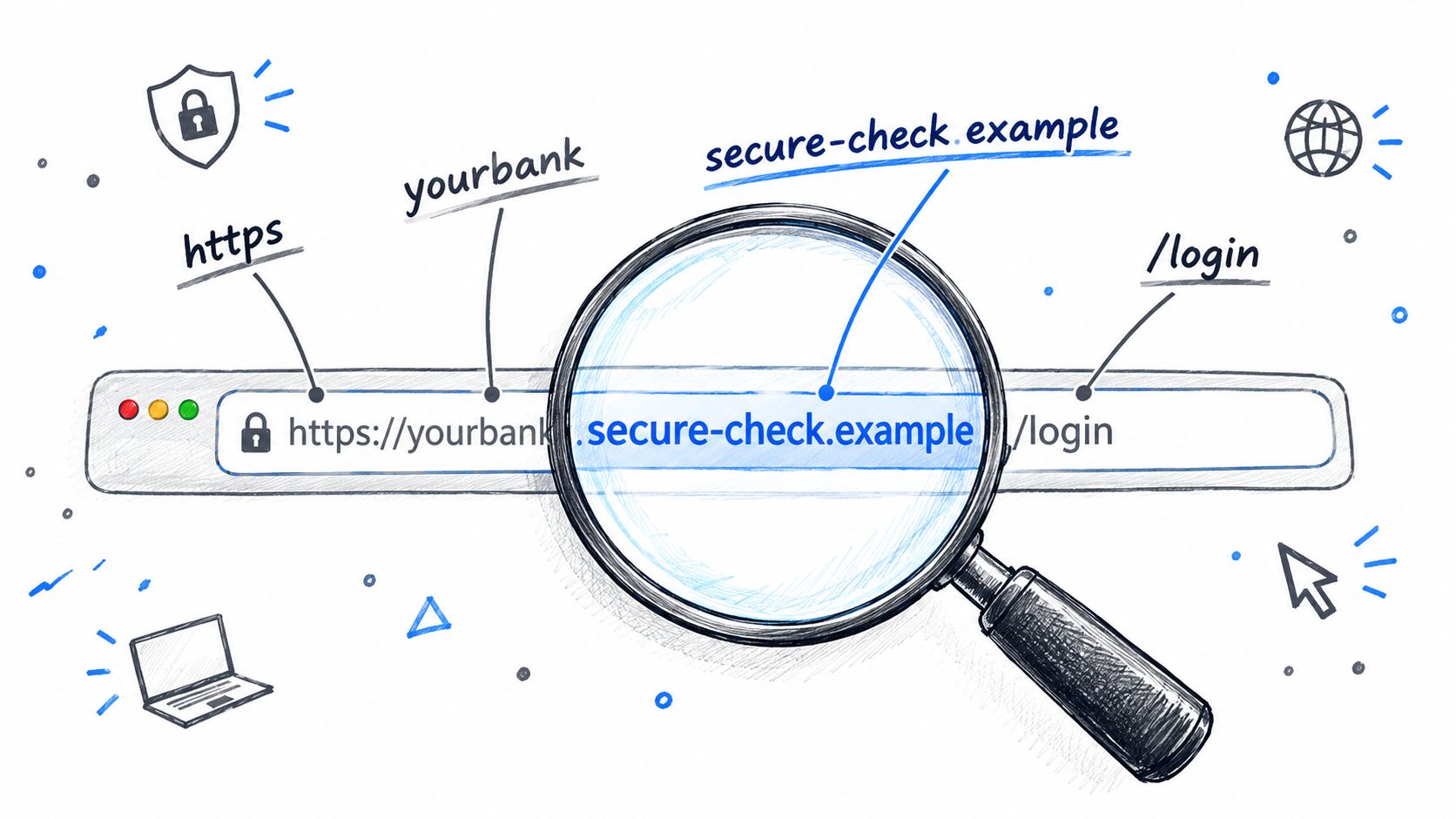
The padlock or https only means the connection is encrypted. A scam site can have it too. The real domain is the registered name just before the ending, here secure-check.example. That's where you actually land.
Words before that, such as yourbank, are subdomains. Anyone who owns a site can add them. Words after the first single slash, such as /login, are just a page path and can contain any brand name.
Parts of a Web Address and What Each One Tells You
| Part of the address | What it means | Example pattern |
|---|---|---|
| Padlock or https:// | Encrypted connection only, a scam site can have it too | https://yourbank.secure-check.example |
| Real domain (name just before the ending) | Where you actually land | secure-check.example |
| Words before the real domain | Subdomains that anyone can add | yourbank.secure-check.example |
| Words after the first single slash | A page path that can contain any brand name | secure-check.example/yourbank/login |
| Shortened address | Hides the real destination | short.example/x7k2 |
| Kenyan .co.ke address | The real name is the part just before .co.ke | yourbank-kenya.co.ke |
Lookalike tricks include a zero for the letter o, rn made to look like m, extra hyphens and small spelling changes. In early 2026, phishing campaigns worldwide used AI-generated emails, spoofed domains and social engineering to harvest credentials, according to the Communications Authority Q3 2025 to 2026 report.
So here's the honest limit. Better link inspection isn't always safest. For bank, M-PESA, email and government accounts, don't use the received link at all. Open the official app or type the address yourself.
How to Check a Link Before You Click
Check the actual address before any tap, because the words on a link can say anything. That's the core of what phishing is and how to spot a fake link before you click, in daily practice.
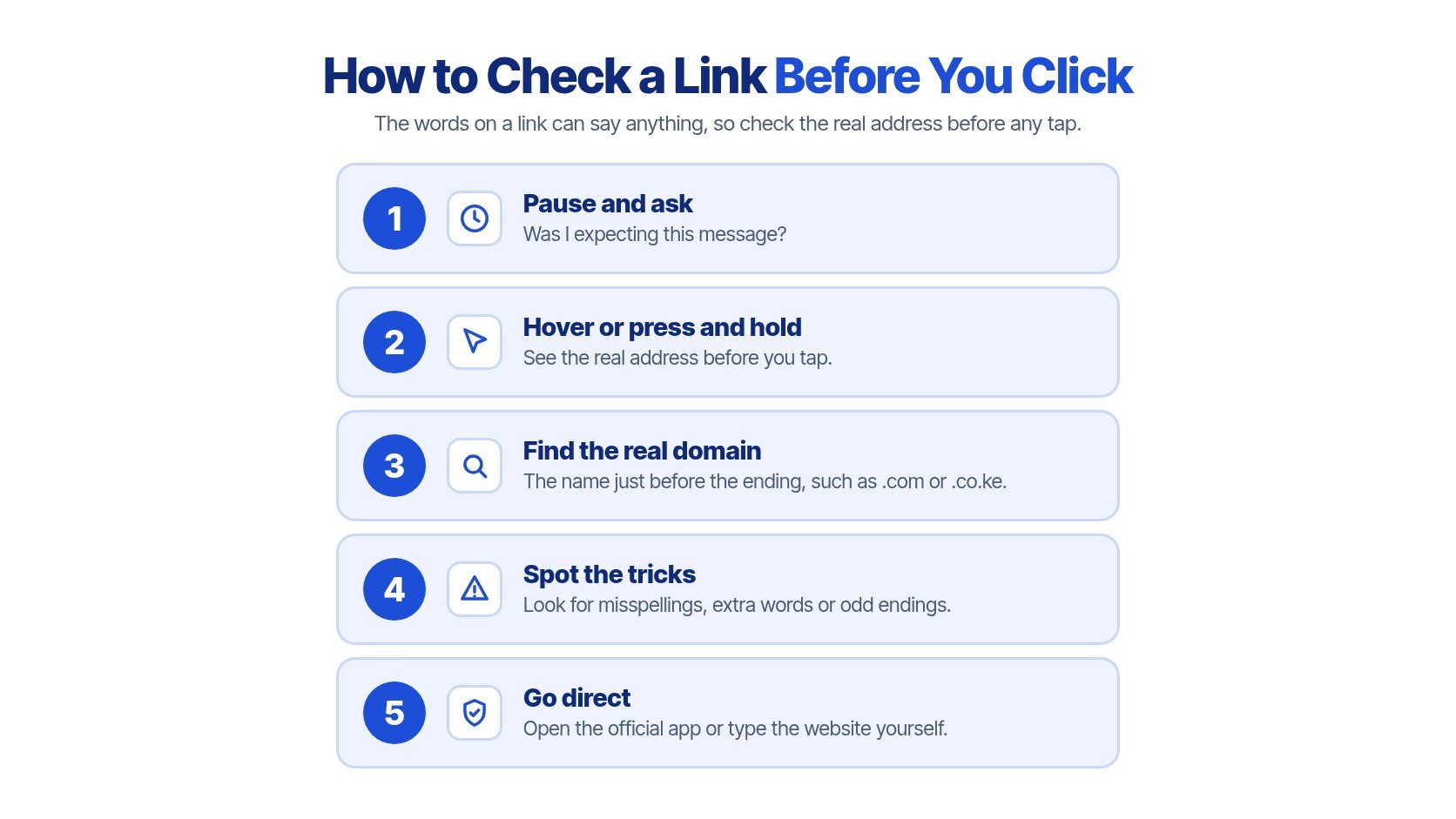
Six Steps in Order
Pause and ask: Were you expecting this message, from this sender, today?
Find the actual address: Use the method for your device in the table below.
Read the full address: Don't stop at a familiar brand name inside it.
Compare letter by letter: Match it against the address you already know for that organisation.
Stop on any mismatch: If something differs, or you can't see an address, close the message.
Go direct if you must act: Open the official app or type the address yourself, then log in there.
You don't need to be certain it's fake. A mismatch is enough reason to stop. That one rule protects children and adults equally, and it's easy to teach at home.
Where to Find the Real Address on Each Device
| Device or situation | What to do | What to look at |
|---|---|---|
| Computer (Windows or Mac) | Move the mouse over the link without clicking | The real address in the browser status bar at the bottom |
| Phone (Android or iPhone) | Press and hold the link | A preview showing the address in many apps, if no preview appears, don't tap |
| Shortened link or QR code | Don't open it to check | The destination is hidden, ask through a number or app you already have |
| Unexpected request for money or login | Close the message and open the official app | Log in and check there, not from the message |
| Link in a group chat or forwarded message | Treat it as unverified | The forwarder may not know it's fake, so check it the same way |
A safe finish looks like this: The page matches the address you typed yourself, and no page reached from a message asks for your PIN or one-time code.
If a preview won't appear on your phone, that's not a problem to solve by tapping. It's a reason to leave the link alone. Type the address, use the app, or ask a trusted adult to look with you.
When a Call or SIM Change Is the Real Attack
A mother in Nakuru gets a text warning that her M-PESA account will be frozen. She ignores the link. An hour later a polite caller phones, says he works for the provider, and asks her to read back a code that has just arrived on her phone. By evening her line has lost signal and money has left her account.
That sequence is the actual shape of many attacks. The link is only one step in a chain: a message, then a call, then sometimes a SIM change, then access to the mobile-money account. Once a fraudulent SIM swap moves your number onto a stranger's card, every one-time code meant for you reaches them instead.
Smishing is phishing by SMS. Vishing is phishing by voice call. Signs that a call or message is part of this chain:
A caller asks you to read out a code or approve a transaction.
A notice says your SIM will be replaced, and you never requested one.
Your phone loses signal suddenly, with no clear cause.
No genuine caller needs your PIN, password or one-time code. End the call calmly, then contact the organisation yourself through the official app or a number you already have saved.
The habit is the same one you use with links. When a stranger's message or call asks you to act, set it aside and reach out through a channel you chose.
What to Do If You Already Clicked
Don't panic, and don't feel ashamed. Clicking isn't the end. Acting quickly makes a big difference, even if no money has left your account yet.
Act in This Order
Stop replying: Don't share any more codes or details with the sender.
Change the password: Change that account first, then any other account where you used the same password. Choose a new, unique one each time.
Turn on 2-step verification: Add it wherever the service offers it.
Secure mobile money: If M-PESA or a SIM is involved, contact the provider or operator through a number or app you already have and ask them to secure the account.
Treat lost signal as urgent: If your phone suddenly loses signal, contact the operator immediately through another phone if needed.
Check activity: Look at recent account activity and statements for anything you didn't approve.
Tell a trusted adult: A parent, teacher or family member can help you check each step.
Report the message: Tell the organisation it imitated and use the official reporting channels available to you.
Note the difference between two situations. If you tapped a link and typed details, password changes come first. If a call persuaded you to approve a payment or give up a code, the operator and mobile-money steps matter just as much, even if you never tapped anything.
At home, understanding your rights under the Kenya Data Protection Act explained simply also helps you ask better questions about your personal information.
Practise Spotting Fakes on Keybaki Labs
Spotting phishing gets easier with practice, and a safe simulation lets you make mistakes without losing money or an account. You can Practise spotting phishing on Keybaki Labs through the Pause before you click activity, where learners work through examples with Tcha, the guide.
Keep it short. Students can try one round in about ten minutes. Parents can sit with a child at the family phone and talk through each choice. Teachers can use it as a calm class starter before a lesson.
Keybaki provides this practice activity for learning at home and at school, and you can explore more activities through Keybaki Labs for learners and teachers. It doesn't replace a trusted adult. If a real message worries you, still ask someone you trust before you act.
End with three questions every time. Who sent this? What do they want me to do? Can I check it another way?
Keybaki helps Kenyan teachers, parents and students learn together with CBE-mapped lessons, assessments and safe online practice activities like Pause before you click. Visit Keybaki to explore the platform and try a phishing practice round with your child or class today.
Comments
Loading…