· typing test
Typing Test: What Is a Good Typing Speed for Students?
9 min read
You finish a typing test, see your words-per-minute score and wonder, “Is that good?” The honest answer is that speed matters, but accuracy matters just as much. A useful result also reflects your grade, typing habits and experience with a keyboard, so one number can't define your ability.
For Kenyan students, typing is part of building practical digital-literacy skills, not a race to beat classmates. Read your score as a starting point: check how accurately you typed, then look at whether you're improving over time.
Table of Contents
- What WPM and Accuracy Actually Measure
- What Counts as a Good Typing Speed by Grade
- Why Accuracy Comes Before Speed
- How to Take a Fair Typing Test
- How to Improve Without Losing Accuracy
- Take Your First Fair Test on Keybaki Labs
What WPM and Accuracy Actually Measure
Words per minute (WPM) estimates how quickly you type. In most typing tests, a “word” is treated as five characters, including spaces and punctuation. The calculation divides the number of characters typed by five, then divides by the time taken in minutes.
Accuracy tells you what share of your typed characters were correct:
Accuracy = (correct characters ÷ total characters typed) × 100
For example, say a one-minute test records 300 characters, of which 12 are wrong. The result is 60 gross WPM because 300 divided by five is 60. The learner typed 288 characters correctly, so accuracy is 96%.
Some tests also report net WPM, but they don't all calculate it the same way. A test that subtracts each uncorrected error would show 48 net WPM for this attempt, 60 minus 12. A test that counts only correct characters would show about 58 WPM, based on 288 divided by five. Check how your test defines its score before comparing results from different tools.
A WPM number without an accuracy score is only half a result.
Test length matters, too. A 30-second burst can flatter your speed because there's little time to tire or lose rhythm; a passage lasting a minute or longer usually gives a steadier picture. One wrong letter may count as an error, while different tests may treat backspacing and corrected mistakes differently.
For a simple reliability check, type the same passage twice under similar conditions. If your results are close, you have a more useful baseline than you'd get from a single burst.
What Counts as a Good Typing Speed by Grade
A Grade 8 learner finishes a one-minute test at 28 WPM and asks whether that's good. It could be a promising result, but accuracy matters as much as speed, and the right comparison also depends on the learner's grade and practice.
A fast score with frequent errors may represent weaker schoolwork than a slower score that's almost clean. Use this table as a rough working guide, not as a rule, a pass mark or an average drawn from a named study. The values are editorial benchmarks for reading a result, not national norms.
| Grade band | Beginner (WPM) | Comfortable for schoolwork (WPM) | Fast (WPM) | Accuracy target |
|---|---|---|---|---|
| Grade 7 (JSS 1) | 8–15 | 15–25 | 25+ | 95% or higher |
| Grade 8 (JSS 2) | 10–20 | 20–30 | 28+ | 95% or higher |
| Grade 9 (JSS 3) | 12–20 | 20–30 | 30+ | 95% or higher |
| Grades 10–12 (SSS) | 15–25 | 25–35 | 35+ | 95% or higher |
The bands overlap on purpose. A Grade 8 learner at 28 WPM is near the fast guide, but a result below the table's accuracy target may mean the next step is to slow down and build control. Grades 7–9 are junior secondary, while Grades 10–12 are senior secondary in CBE.
A 2022 Kenya Digital Schools project report describes a survey of 250 students in 10 secondary schools in Naivasha and reports improved computer skills across Microsoft applications. A Grade 10 learner said the project helped them learn to type faster, but the report doesn't establish a national average typing speed. So no particular WPM should be described as typical for Kenyan students.
To use the table, find the learner's grade row, check accuracy first, then consider speed. If the result is still in the beginner band, that's a starting point for practice, not a verdict.
Why Accuracy Comes Before Speed
A student who writes neatly on the first try doesn't spend the lesson rubbing out mistakes. Typing works the same way: each error can interrupt a learner's attention, and repeated mistakes can reinforce habits that later take effort to change.
Consider two learners. One types at 45 WPM with 82% accuracy and spends extra time correcting the text. The other types at 30 WPM with 98% accuracy and produces clean work sooner. For a school assignment, the second learner is more likely to have a usable final draft without repeated stops to repair errors.
A 2025 study of digital literacy in three schools in the Kathiani region surveyed 21 educators and included 21 teacher interviews conducted in July 2023. Its survey defined computer literacy as the knowledge and ability to use computers, applications and related technology efficiently for desired tasks. That definition is a useful reminder for school typing: speed is only one part of useful performance. Teachers can assess the task more fairly by recording both WPM and the percentage of correctly typed characters.
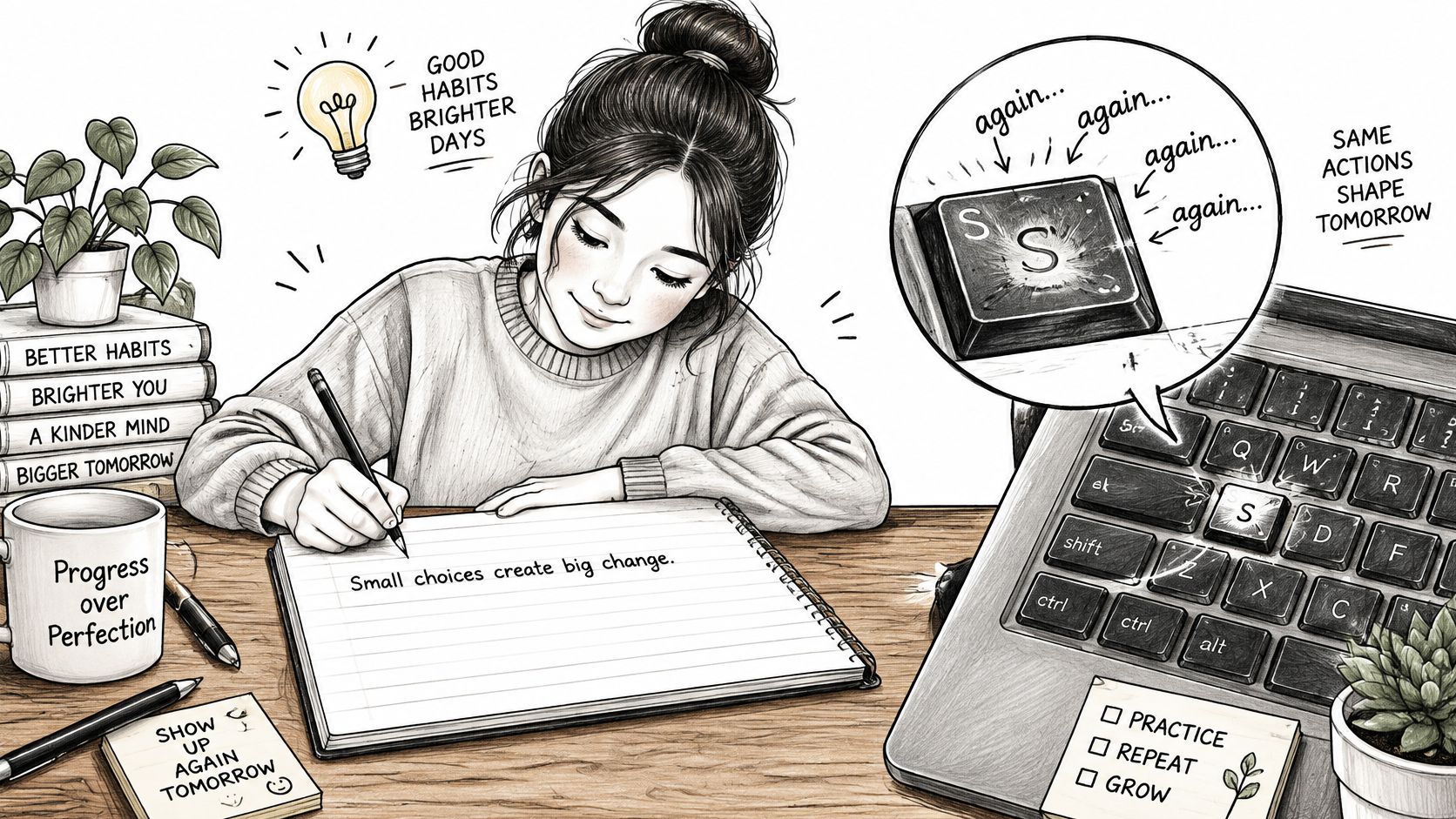
Early habits give learners a clear place to start improving. Watch for looking down at the keys, skipping punctuation or typing with one hand. These habits can slow a learner down when the text gets longer, even if a short test result looks quick.
Accuracy comes first, and speed follows. If a learner falls below their accuracy target, they should slow down rather than push harder. Controlled practice gives them room to learn the keyboard and produce dependable work.
How to Take a Fair Typing Test
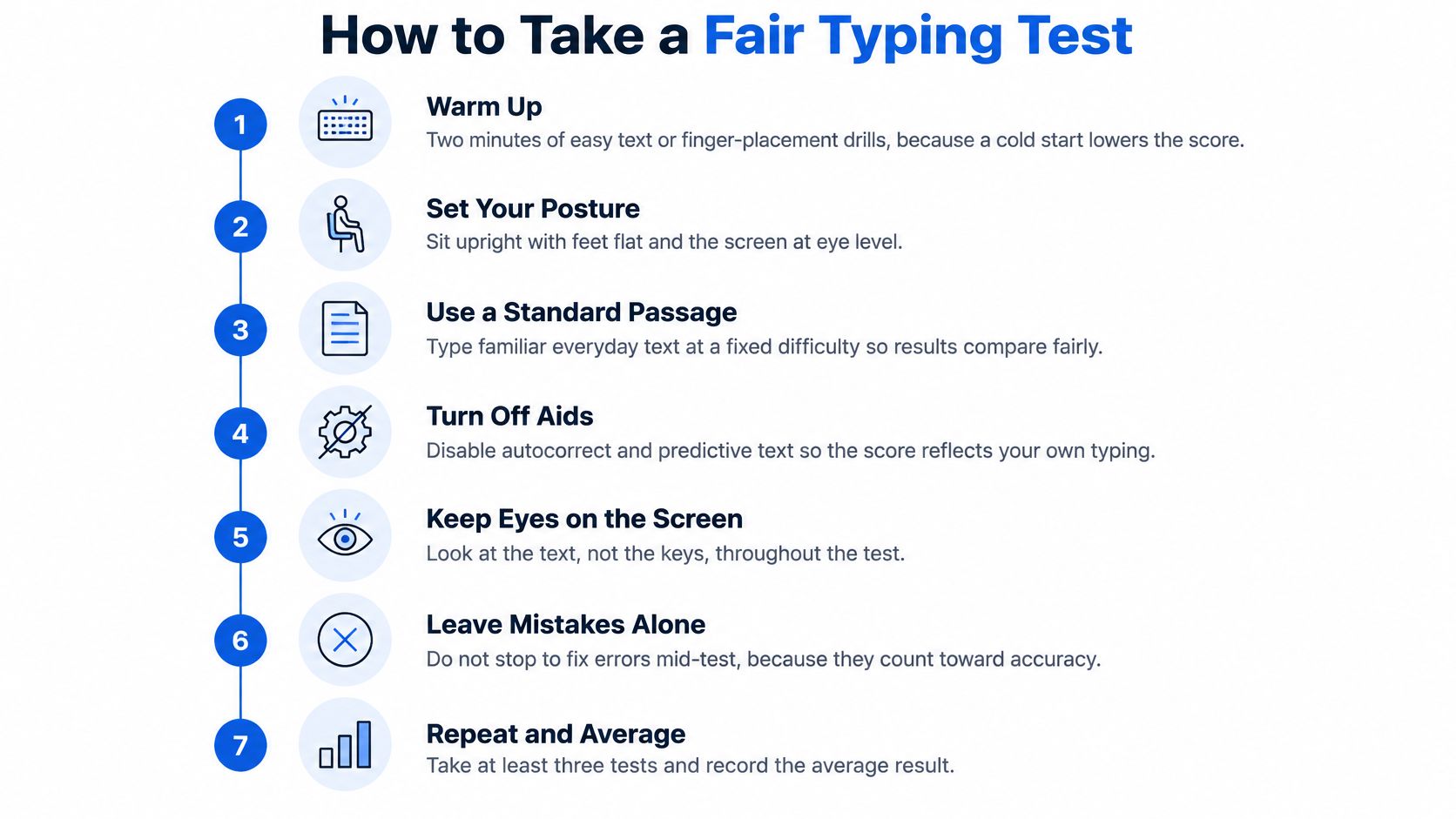
A fair test gives you a result you can compare with your own earlier attempts. Keep the conditions as consistent as possible, and record more than the headline WPM.
- Warm up with two minutes of easy text or finger-placement drills, because a cold start can make the score less representative.
- Set your posture: sit upright, place your feet flat, keep the screen at eye level and relax your wrists so you can type comfortably.
- Keep your eyes on the text, not the keys, to practise finding letters without visual key-hunting.
- Choose one test length, with one minute as a useful default, and use that same length for each comparison.
- Type the passage without aids, such as spellcheck, autocorrect, notes or help, so the score reflects your own work.
- Record WPM, accuracy and completion, including whether you finished the passage, to make the result easier to interpret.
- Retest every one to two weeks and compare the new result with your own last three scores, not with classmates.
Kenya's National Education Strategic Plan 2023–2027 calls for continuous electronic assessment and adapting instruction to learners. Regular, comparable typing checks can support that approach by showing whether a student needs more accurate practice or is ready to build speed.
Note the device you used, especially if you switch between a family phone and a school laptop, because keyboards can feel different. Teachers planning digital checks can also explore online assessment tools. For a broader assessment reference, track completion times to flag irregularities. If accuracy drops across retests, use a slower practice routine rather than judging ability from one score.
How to Improve Without Losing Accuracy
Kenya's Grade 7 Computer Science curriculum treats keyboarding as a digital-literacy competency. Learners practise typing simple text, using the home keys and correcting text in a document, rather than focusing only on a high WPM score. The Grade 7 Computer Science curriculum also emphasises explaining keyboard functions correctly and systematically.
Start with the home row. Rest your left-hand fingers on A, S, D and F, and your right-hand fingers on J, K, L and semicolon. Feel the small bumps on F and J, then practise finding those keys without looking. Learn the home row before adding more keys.
A manageable routine makes practice easier to stick with:
- Practise briefly each day. Aim for 10 to 15 minutes, rather than one long session each week.
- Type useful material. Use a paragraph from schoolwork instead of only repeating random letters.
- Build in detail gradually. Add punctuation and numbers once common words feel steady.
- Keep a weekly record. Write down one score so you can see whether accuracy and speed are moving in the right direction.
Slow-down rule: If your accuracy falls below your target in a session, reduce your speed in the next one and rebuild control.
Learners with limited access to a computer can still practise finger placement using printed or paper passages, then try the keyboard when a shared device is available. Paper practice won't produce a WPM score, but it can help with the order and movement of fingers before a learner uses a keyboard.
If you want another structured set of ideas, Voice Control Pro's typing improvement guide can complement a home-row routine. For the wider skills behind confident computer use, Keybaki's overview of digital-literacy skills gives additional context. Take a typing test once you have a baseline, then use practice to improve the parts of the task that need attention.
Take Your First Fair Test on Keybaki Labs
Start with a one-minute test, record your WPM and accuracy, and treat the result as a baseline. Take a typing test on Keybaki Labs to try tests from 30 seconds to 10 minutes in English or Kiswahili.
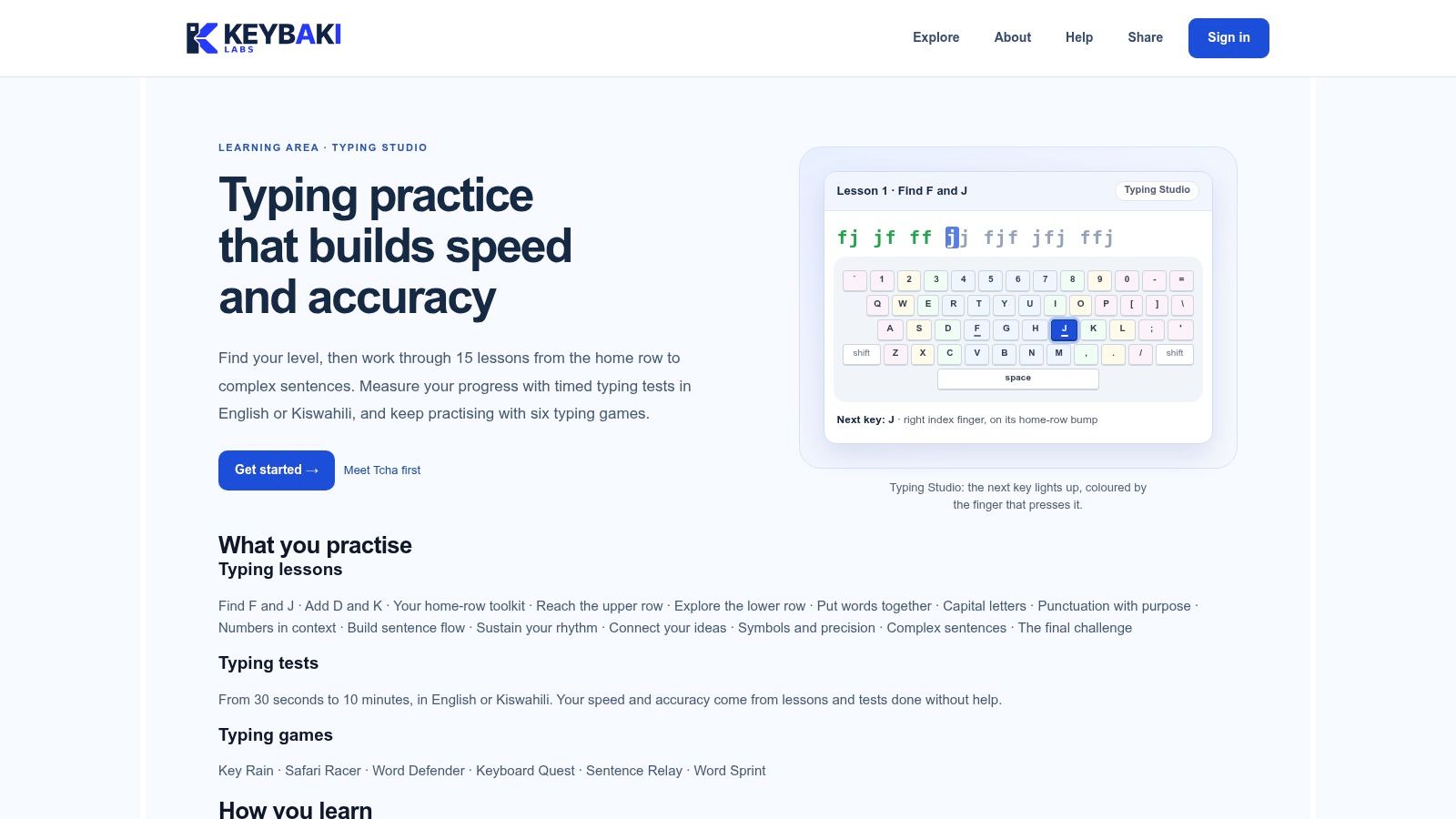
Keybaki Labs also has 15 lessons, from Find F and J to complex sentences, and six typing games. Speed and accuracy count only for lessons and tests completed without help, so the result reflects what the learner can do independently rather than an assisted or flattering score.
Use this simple plan:
- Take a one-minute test today.
- Write down WPM and accuracy.
- Compare the result with the grade table in this article.
- Practise the lessons for the keys or rows where errors cluster.
- Retest in one to two weeks and compare with your first score.
You can find the wider learning platform through Keybaki Labs. Keybaki's Students Basic plan is free forever at KES 0 per student and includes two subjects with no time limit: English and Social Studies for JSS, and English and ICT for SSS. Your first typing score is a baseline, not a verdict. Use it to choose what to practise next, then give yourself time to improve.
Keybaki supports CBE learning with digital lessons and continuous assessments for Grades 7–12. Build typing into your wider digital-learning routine and visit Keybaki to explore the platform for learners, parents and teachers.
Comments
Loading…