
· fake M-PESA message
How to Spot a Fake M-PESA Message: The Sent by Mistake Scam
12 min read
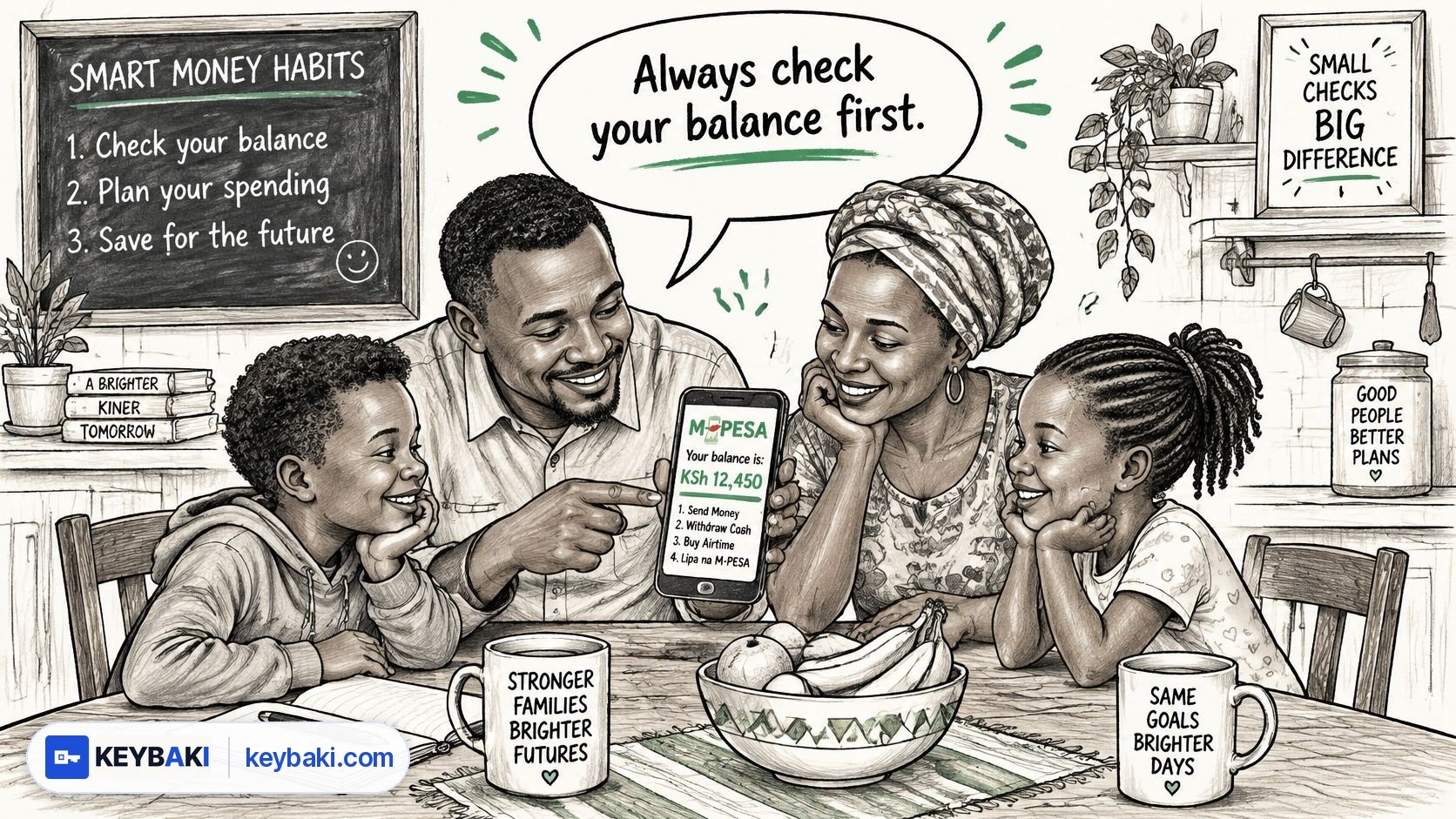
You're clearing supper dishes or marking books in the staffroom when your phone buzzes. A message that looks like an M-PESA confirmation says money has arrived. Then a stranger calls, sounding distressed, and begs you to send it back because they used the wrong number.
In the “sent by mistake” scam, no money ever arrived. The confirmation was an ordinary SMS made to look like M-PESA. Don't let someone's urgency turn your kindness into a payment you can't afford.
Table of Contents
- The Message That Looks Like Money Has Arrived
- How the Sent by Mistake Scam Actually Works
- Five Signs the Message Is Fake
- What to Do Instead of Sending the Money Back
- If You Have Already Sent the Money
- Teach It at Home and Practise It Safely in Class
The Message That Looks Like Money Has Arrived
Think of that uncomfortable moment with your finger hovering over the M-PESA menu. You don't want to keep somebody else's money, especially when they sound desperate. But you also haven't checked whether their story is true.
That's where you must pause. A message claiming money arrived isn't the same as money arriving. The amount, name and transaction code on a screen are claims until your own account confirms them.
What a real M-PESA confirmation looks like vs a fake one
| Field | Genuine M-PESA message | Fake 'sent by mistake' message |
|---|---|---|
| Sender | M-PESA or MPESA | An ordinary customer's mobile number |
| Payment details | Correspond to a transaction in your account | May be copied, invented or altered |
| New balance | Can be checked independently against your account | May be inconsistent or show LOCKED |
| Proof of receipt | Your own account records the credit | The caller relies on the SMS or a screenshot |
Use those differences as warning signs, not as permission to trust any message that looks tidy. The strongest check is still your independently opened balance and transaction history. A familiar layout alone doesn't establish that this particular payment reached you.
Practical rule: Be kind to the person, but strict about verifying the payment.
For an M-PESA repayment request, keep your decision tied to your own account and Safaricom's official process.
Parents, teachers and secondary learners need the same habit. Whether you're handling household money, collecting a payment or buying a digital service, don't accept somebody else's phone screen as your receipt. Learn the check yourself, then let younger family members practise it safely before they face a persuasive caller.
How the Sent by Mistake Scam Actually Works
The trick works by making an unexpected request feel like an ordinary mistake that a decent person should fix. Safaricom describes the fake confirmation followed by a repayment request as a recurring fraud pattern.
The sequence below shows where to interrupt it.
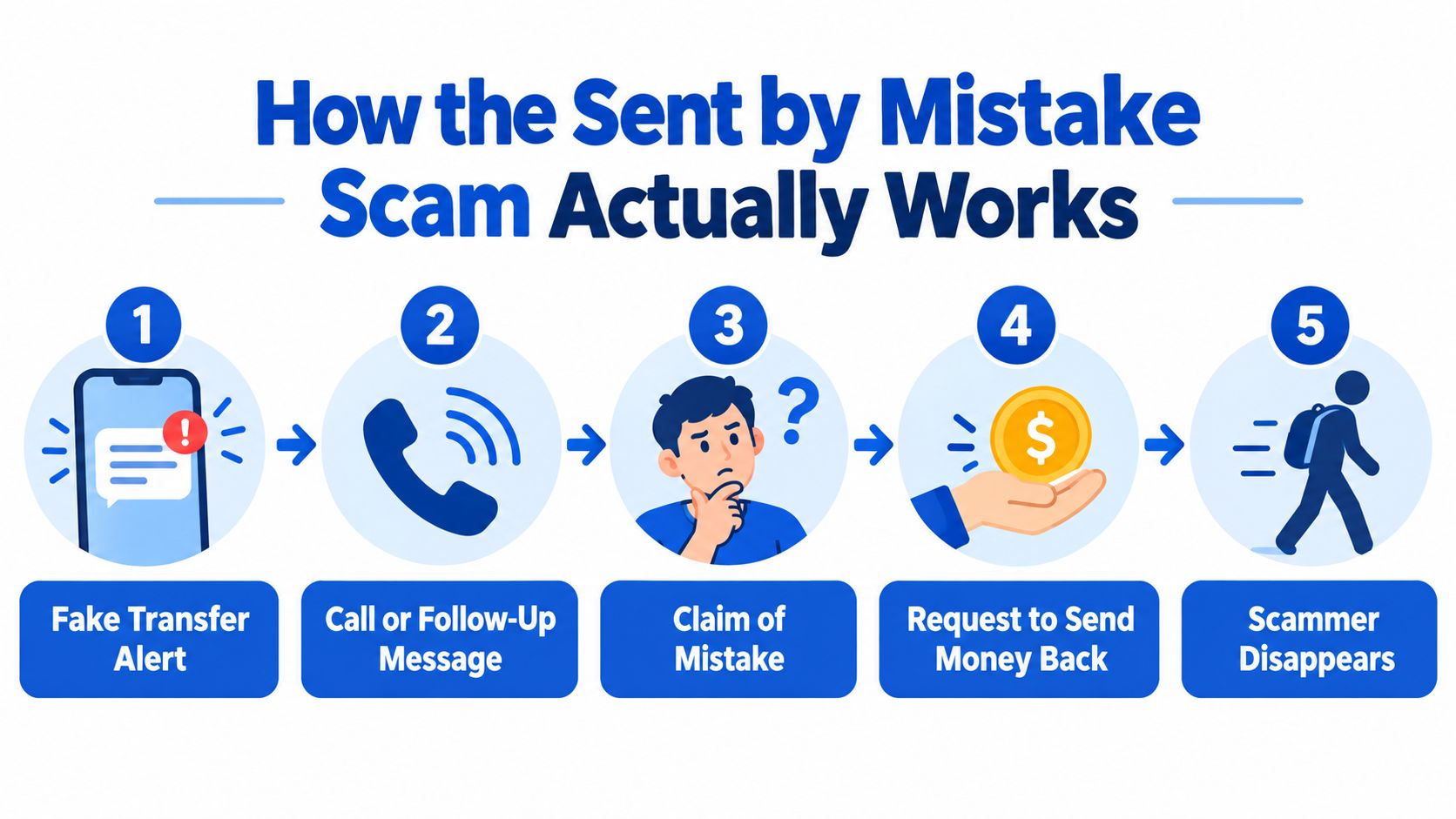
A fake transfer alert arrives. Someone creates or alters an SMS so it resembles a payment confirmation. You see familiar-looking details and may assume you've received money.
A call or follow-up message follows. The stranger draws your attention to the supposed payment. Instead of opening your account independently, you're drawn into their explanation.
They claim they made a mistake. The caller says they entered the wrong number. Their story gives you a reason to feel responsible for sorting out a problem you didn't create.
They ask for a fresh transfer. This is the critical moment. You're no longer just reading a suspicious message, you're being asked to authorise a real payment from your wallet.
Your money leaves. If you follow the instruction without verifying the credit, you've sent genuine funds in response to a fabricated receipt. Don't assume another conversation with the caller will put things right.
The pressure matters as much as the message. A caller who keeps talking can make checking your account feel rude or unnecessary. End the conversation if you need quiet to verify.
The fake customer-care escalation
A related caller may claim to work for Safaricom and tell you to visit a nearby M-PESA agent to complete a reversal. Don't go on that caller's instruction.
Safaricom's warning about phone-security and reversal fraud says customer care will never call and instruct you to visit an agent for that purpose. It explains that fraudsters can use the customer's number at the agent while impersonating customer care.
You don't have to prove you're helpful by following a stranger's instructions.
An official-sounding voice doesn't change the test. Verify the account first and keep any resolution inside Safaricom's established channels.
Five Signs the Message Is Fake
Don't spend your time deciding whether the caller sounds honest. Look for things you can check.
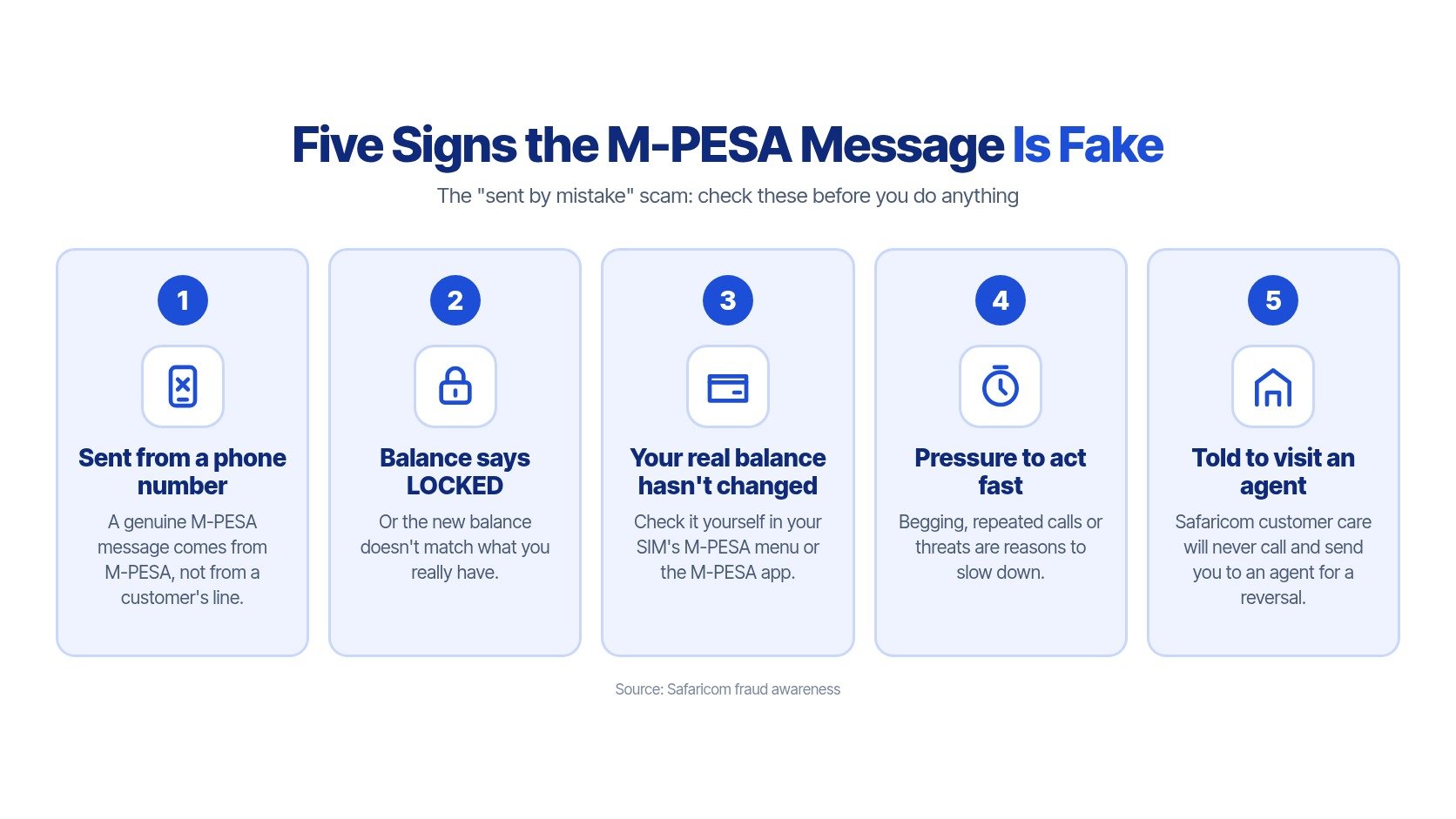
Use this visual as a reminder, then apply the account checks below.
Check the sender and the account
It came from an ordinary phone number. Safaricom identifies M-PESA or MPESA, not a customer's line, as the sender name for genuine transaction notifications. Open the message details rather than relying on the wording inside the SMS.
The new balance shows LOCKED or doesn't match yours. That's a strong warning sign. Don't accept the caller's explanation that the balance will become available after you refund them.
Your real account doesn't show the incoming money. Open your SIM's M-PESA menu or the M-PESA app yourself. Check the balance and transaction history, never through a number or link the caller supplies.
A displayed balance isn't enough if you can't connect it to the claimed payment. If the transaction is missing or unclear, pause and ask official customer care to confirm it. Don't send money while you're still trying to understand what happened.
Watch what the caller wants you to do
They pressure you to act immediately. Begging, repeated calls or accusations are reasons to slow down, not reasons to skip verification. You can care about a genuine mistake without accepting a stranger's deadline.
They tell you to visit an agent for a reversal. That instruction conflicts with Safaricom's warning above. End the call and contact Safaricom independently rather than accepting a transfer to another supposed helper.
The important distinction is between appearance and account evidence. Correct spelling, a convincing transaction code or a screenshot on another person's handset doesn't replace checking your own wallet.
For parents and teachers receiving payments, the same standard applies before releasing goods, tokens or access to a service. Confirm the payment in the recipient's account, not on the payer's screen.
Don't teach children to recognise only a badly written SMS. Teach them to recognise a request that bypasses verification. That habit remains useful even when the message looks convincing.
What to Do Instead of Sending the Money Back
Don't make a manual refund to solve an unverified payment claim. A manual refund is a new transfer you authorise from your own wallet. An official reversal asks Safaricom to deal with the original transaction.
That difference matters even when money really has arrived. You should cooperate with resolving a genuine error, but you shouldn't improvise a separate payment to an unfamiliar number.
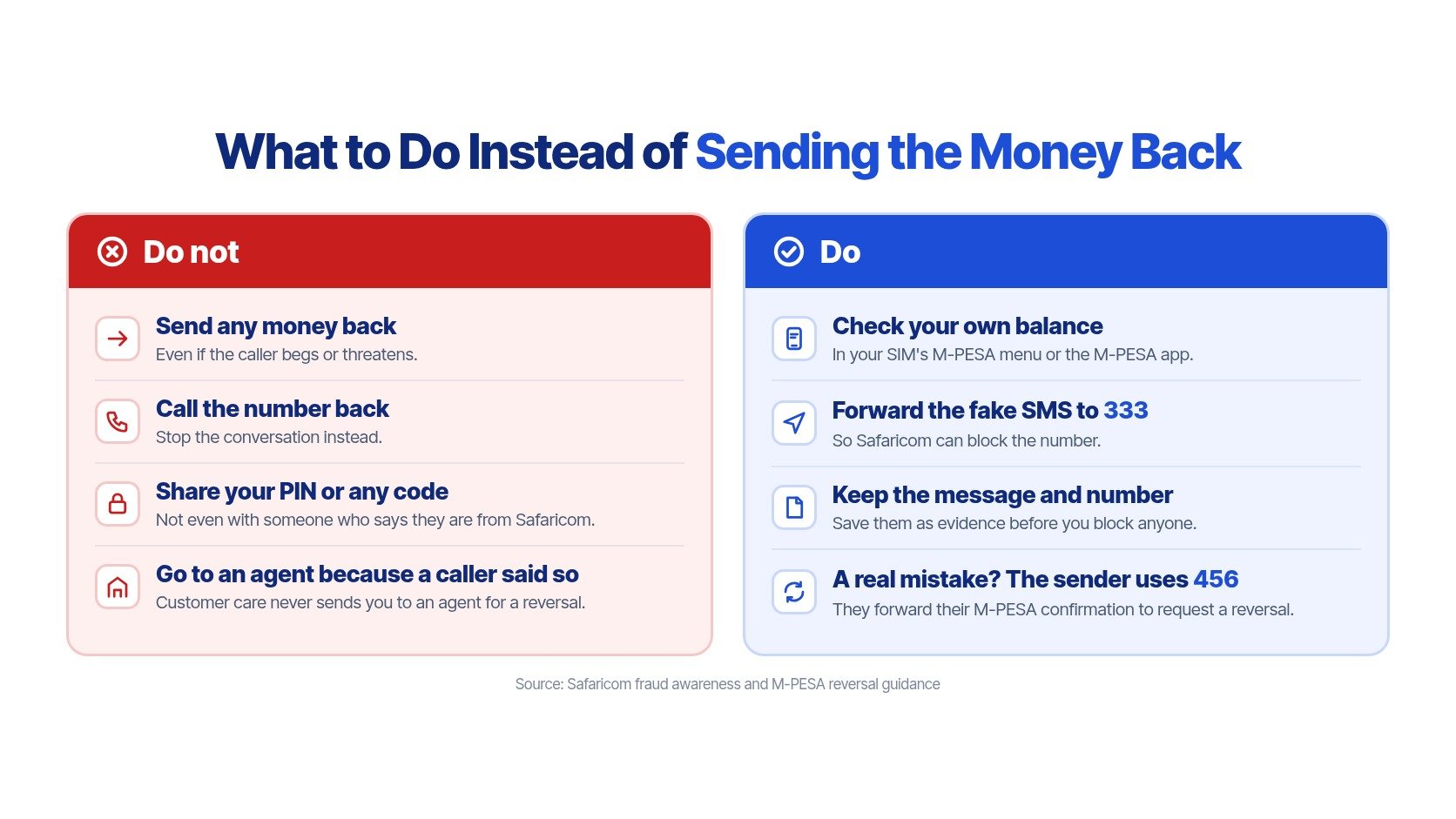
Your response checklist
Don't send money back or call the number back. Stop the conversation and don't follow instructions to visit an agent.
Check your account independently. Use your usual SIM menu or M-PESA app, not a supplied link.
Keep your secrets private. Never share your M-PESA PIN, OTP, national-ID details or SIM information with the caller.
Preserve the evidence. Save the suspicious SMS, caller's number and any relevant transaction details before blocking further contact.
Report the fake SMS. Forward it to 333 for Safaricom to investigate and take action on the reported number.
When the credit is genuine
Leave the disputed money untouched and preserve its transaction code, amount and timestamp. Tell the sender to use the official reversal process rather than asking you for a fresh transfer.
Under Safaricom's secure M-PESA reversal guidance, the sender can forward the complete original confirmation to 456, or seek help through 100 or 200, the M-PESA app, mySafaricom app, Zuri or a Safaricom shop. Those are routes for official assistance, not reasons to obey a caller claiming to represent them.
Keep the distinction visible when teaching someone else.
Don't spend an unexpected credit or assume that refusing a caller means you can keep it.
Keep these separate: Reporting a fake message, requesting a reversal and making a new payment are different actions.
For planned education payments, use a consistent routine such as the checks in this parent's guide to paying school fees with M-PESA. A familiar payment purpose is no reason to relax verification.
If You Have Already Sent the Money
Don't waste time blaming yourself. The useful thing now is to report what happened clearly and protect the evidence.
Act before having another conversation with the caller
Contact Safaricom customer care immediately. Use the official contacts above and explain that you authorised a payment after receiving a fake confirmation. Give the transaction code and ask whether Safaricom can stop or reverse the transfer.
Report at the nearest police station. Take the payment record, suspicious message and caller's details. Ask for an OB number and keep a copy of your report details.
Save the original evidence. Don't delete the SMS because you're embarrassed or angry. Keep screenshots, amounts, timestamps, transaction codes, phone numbers and call details together.
Explain any credential disclosure. Tell Safaricom if you shared a PIN, OTP, ID information or SIM details. Don't hide that part, because the support team needs an accurate account of the incident.
There's no honest promise that every payment can be recovered. The reversal conditions described earlier make prompt reporting important, particularly if the recipient hasn't yet withdrawn or spent the money.
Warn people without exposing yourself further
Tell family members, colleagues and the school WhatsApp group about the method used. Explain that a convincing receipt was followed by pressure to send money, and remind them to verify independently.
Share the warning, not your secrets. Don't post full receipts containing private account information.
Keep evidence for investigators. Give Safaricom and police the original details through appropriate channels.
Support the learner or relative involved. Ask what happened without ridicule so they'll report future suspicious requests quickly.
A calm response helps more than a lecture. First seek help, then work through how to avoid the same decision next time.
Teach It at Home and Practise It Safely in Class
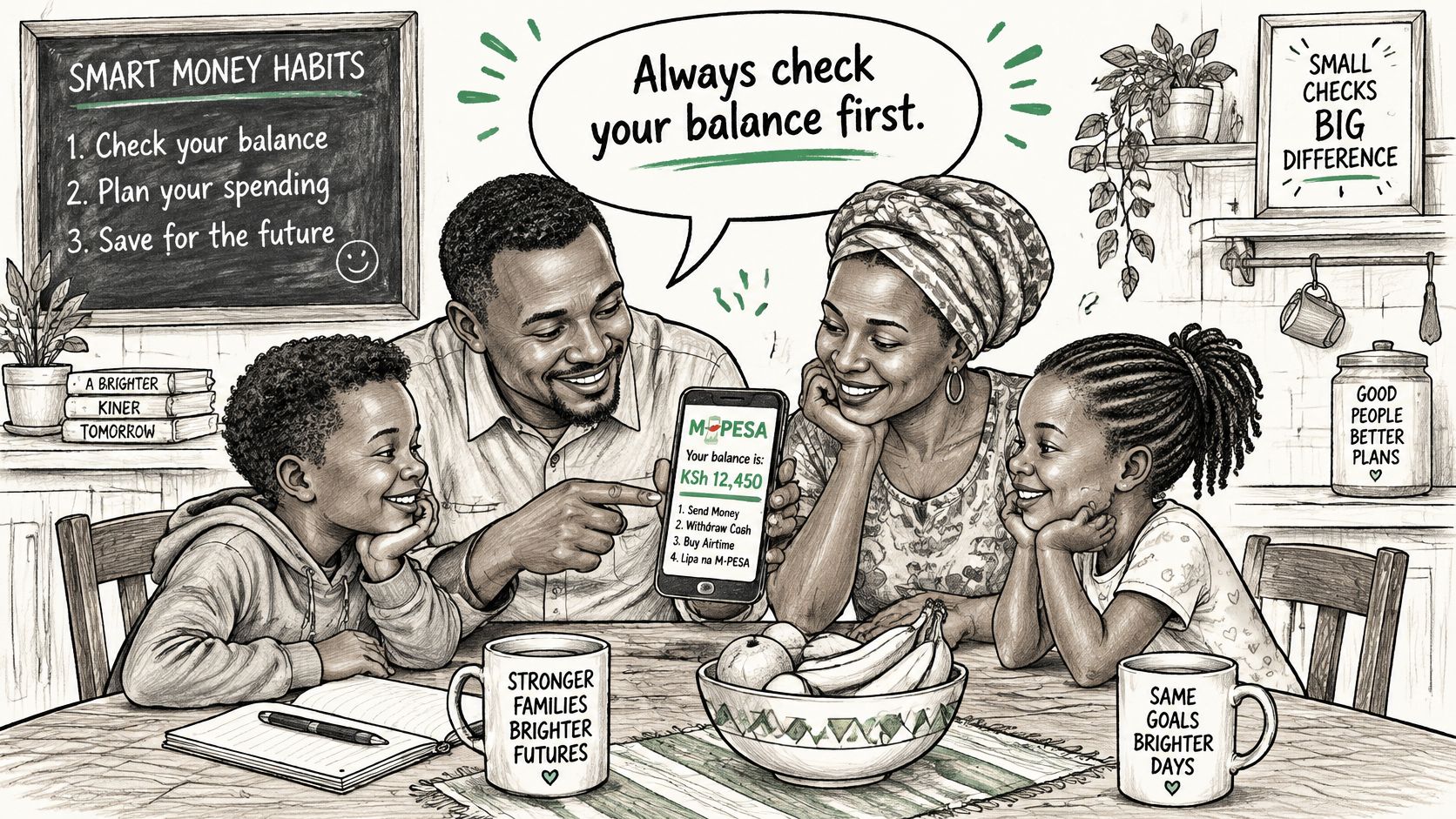
Agree on a household rule: check your own M-PESA balance and transaction history before doing anything about an unexpected payment claim. Nobody should be rushed into sending money because a caller sounds upset.
On a shared family phone, make it clear who should handle unexpected financial messages. A learner can stop, put the phone down and ask a trusted adult without having to argue with the caller.
Use an ordinary home conversation to make that permission clear.
Practise the decision, not just the warning
In class, ask learners to explain what they would do after receiving an unexpected confirmation and a repayment request. Listen for the decision to verify independently, not just the answer that the message looks suspicious.
Useful discussion prompts include:
Spot the missing proof. What would establish that the claimed money arrived?
Recognise pressure. What should you do if the caller won't let you end the conversation?
Choose the safe resolution. How does an official reversal differ from sending a new payment?
Ask for help. Who could you approach if you'd already sent money?
Keybaki Labs offers the Spot a fake M-PESA message activity, where learners practise this exact situation safely with Tcha, the guide. They work through Show me, Guide me and Let me try, with no real money or messages involved.
Practise spotting scams on Keybaki Labs. The same area covers suspicious links, strong passwords with 2-step verification, and checking AI answers.
Make safe checking a normal habit
A useful follow-up is to ask learners to explain the lesson to someone at home without sharing real account details. They should be able to describe both parts: how to question a payment claim and how to seek an official resolution.
Connect that rehearsal to broader digital literacy skills. The aim isn't to make children afraid of every message, but to help them pause, check evidence and ask for support.
The best family rule is one people can use under pressure. Keep it simple enough to remember when the phone rings, and practise it before anyone's money is at stake.
Keybaki offers learning resources and safe digital activities that parents and teachers can use to turn warnings into practical habits. Visit Keybaki and help your learner rehearse the mistaken-transfer scenario, then agree together how your family will respond to the next unexpected payment claim.
Safaricom fraud awareness: Fake/old M-PESA message and Fake reversal instructions.
Comments
Loading…